Friendsgiving invitation with the dish sign-up sheet built in.
Describe the dinner in a sentence and get an invite with a cover to match and a link for the group chat. Guests answer in a few taps and pick a dish from your list right there, no app, no account.
Free · works on any phone · no app for guests
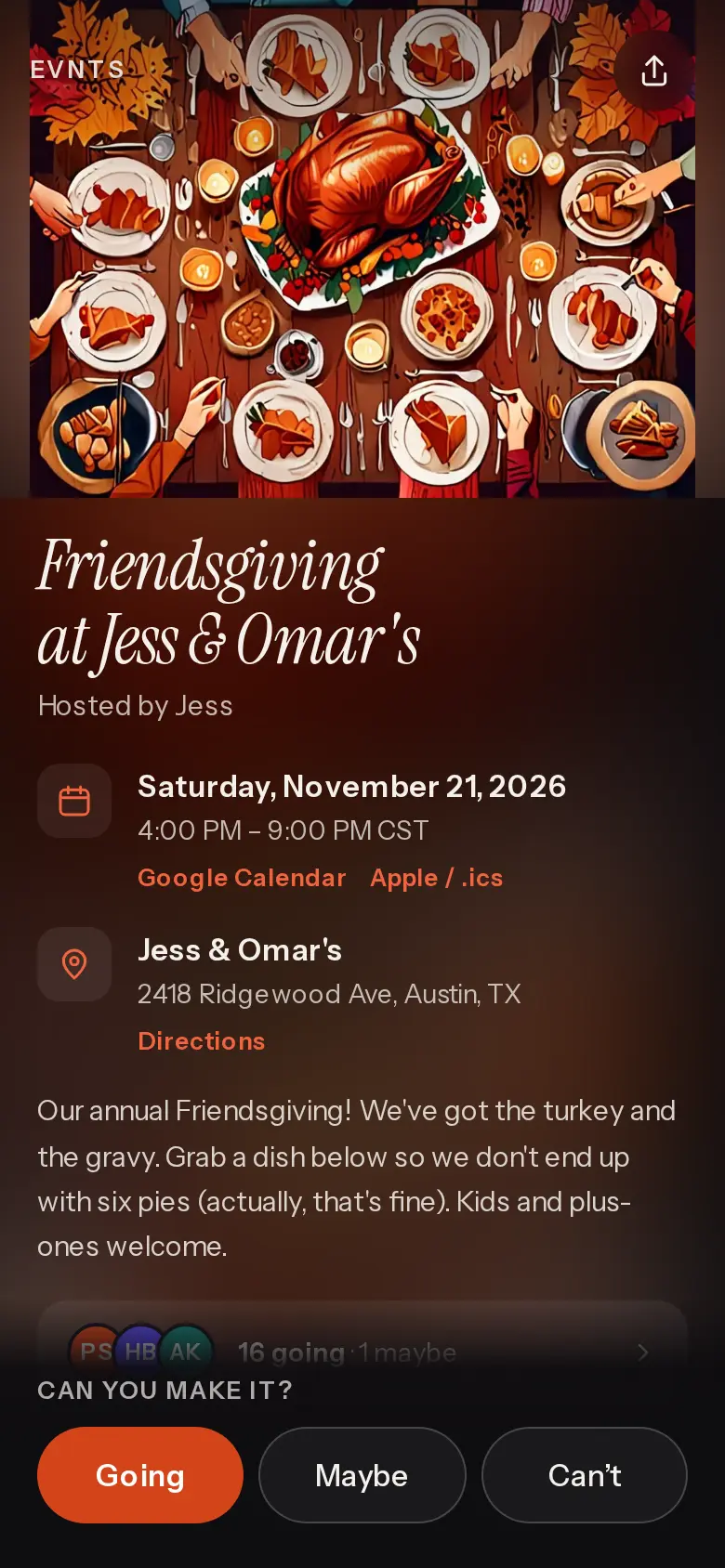
Friendsgiving at Jess & Omar's
Hosted by Jess & Omar. Made-up names and places.
How it's set up for Friendsgiving
A dish list
List what you need (sides, pies, wine, ice) and how many of each. Guests tap I'll bring it from their RSVP and see what's already covered.
Dashboard More → Bring list
Food preferences
Ask about food preferences on the RSVP too: the answers land in your catering summary.
More options → Ask food preferences (on from this page)
Adults and kids
Kids coming? Ask for an adults/kids split so you know how many plates and chairs you need.
More options → Who's coming → Ask adults + kids
A reminder the day before
The day before, confirmed Going and Maybe guests get a reminder asking if they're still coming, and a change of plans takes one tap.
More options → Messages → Reminder the day before (on)
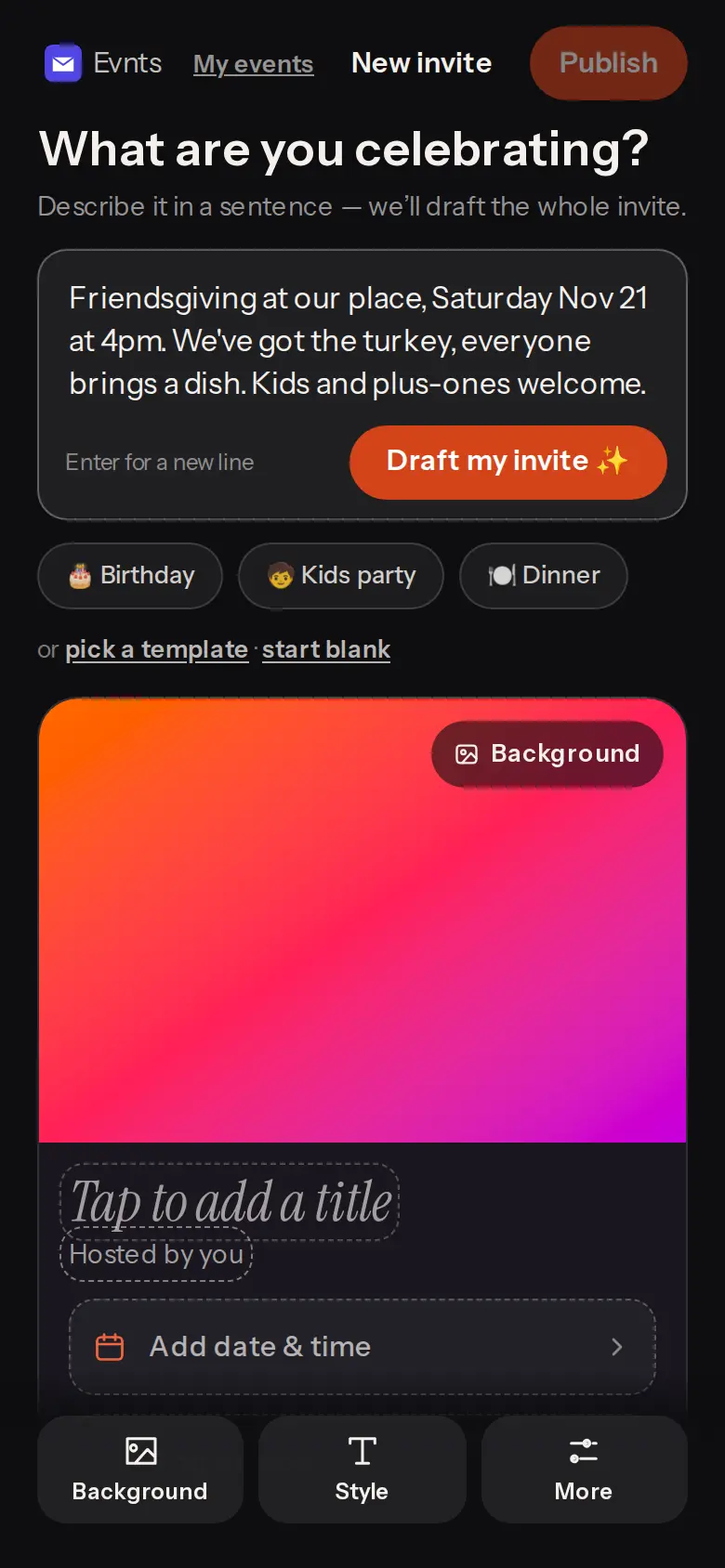
Under 60 seconds
“Friendsgiving, our place, Nov 21, 4pm.” Done.
Type one line and get the title, description, date and place, with a cover painted to match.
Kids coming? Ask for an adults/kids split so you know how many plates and chairs you need.
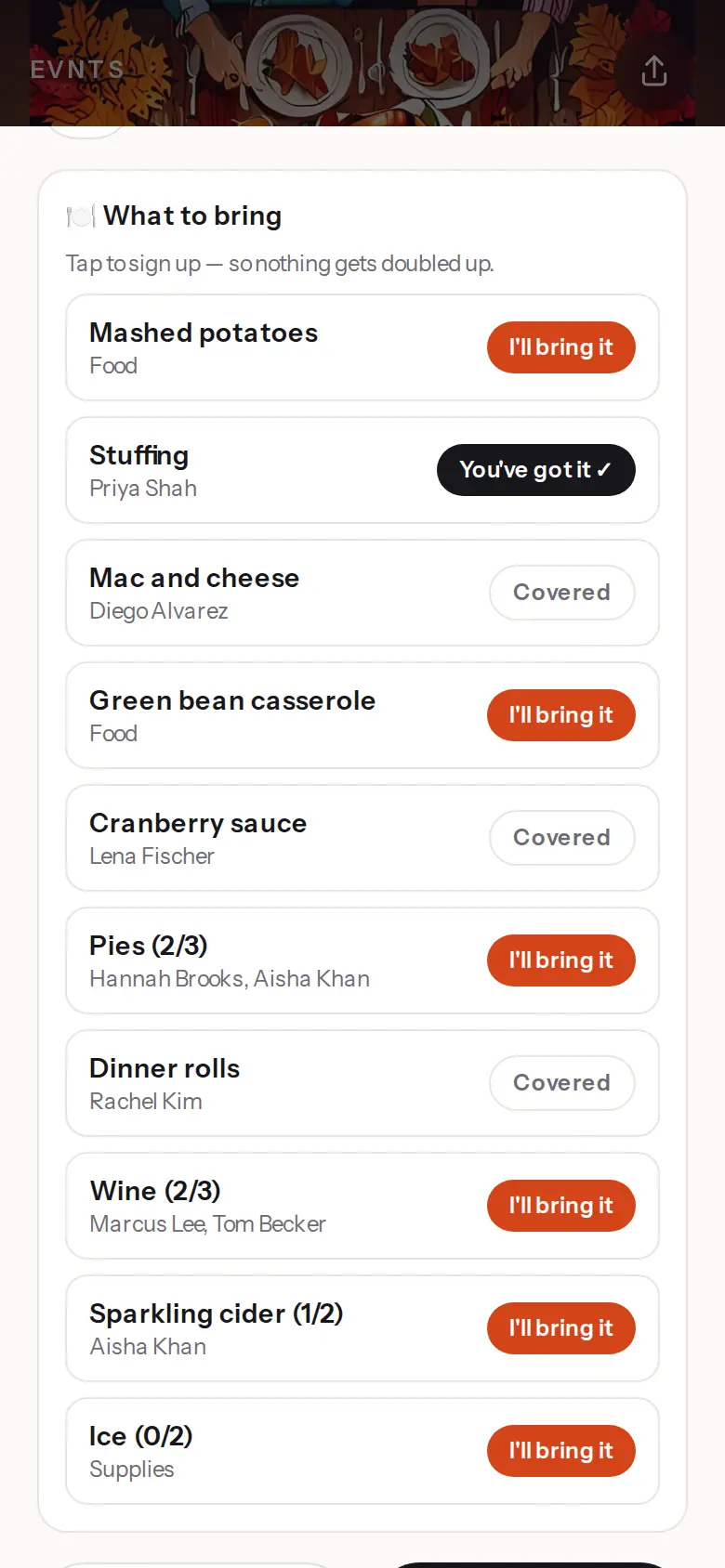
Who's bringing what
Guests claim a dish, so nothing gets doubled up.
List what you need (sides, pies, wine, ice) and how many of each. Guests tap I'll bring it from their RSVP, and guests who RSVP see what's covered.
Ask about food preferences on the RSVP too: the answers land in your catering summary.
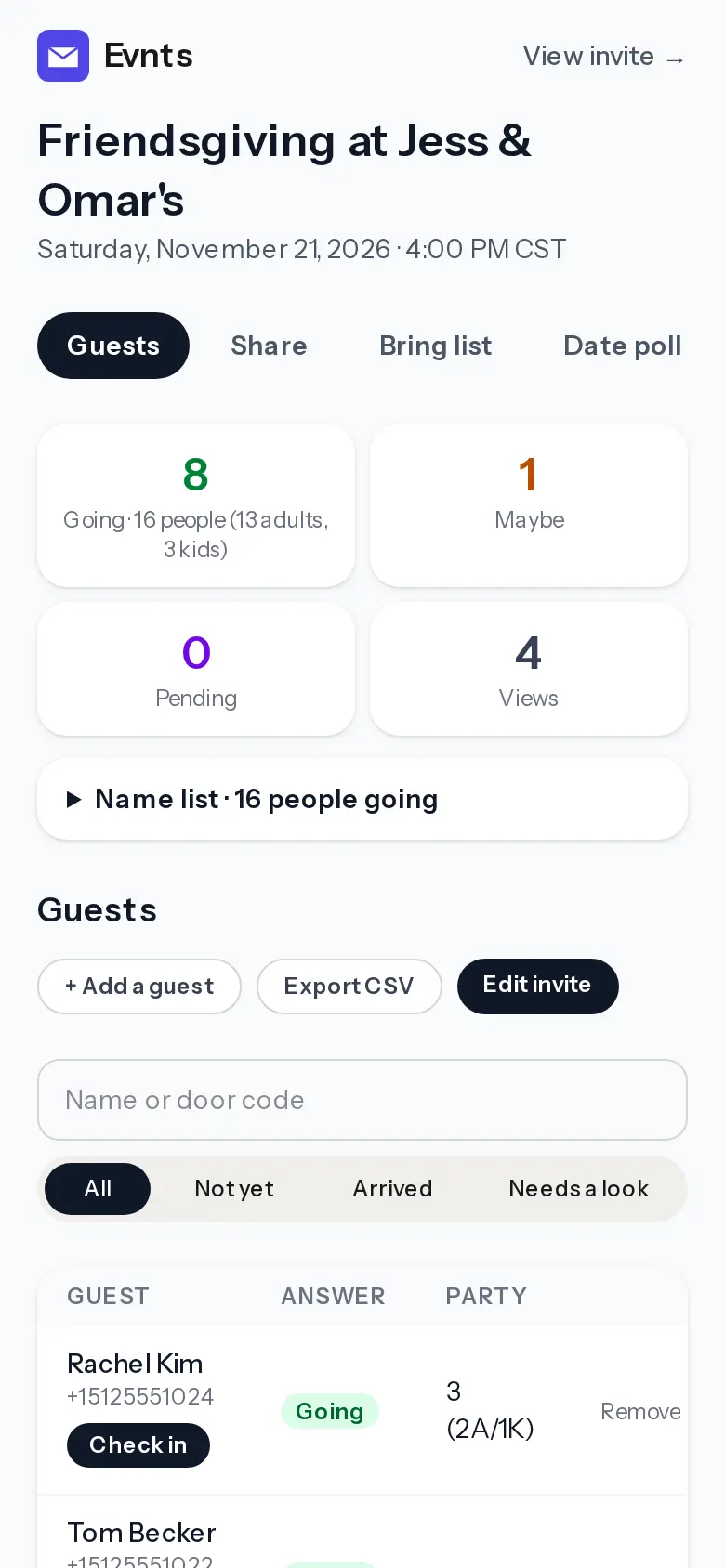
A headcount you can cook for
Know how many plates to set.
Going, Maybe and the adults/kids split at a glance. The day before, guests get a reminder asking if they're still coming, and a change of plans takes one tap.
Guides
Questions
How do guests pick a dish?
List what you need (sides, pies, wine, ice) and how many of each. Guests tap I'll bring it from their RSVP, and guests who RSVP see what's covered.
Will guests get a reminder?
Yes. The day before, guests get a reminder asking if they're still coming, and a change of plans takes one tap.
Is it really free?
Yes. The invite, the RSVPs, the reminders and the guest list cost nothing, and there are no ads. Free events are free for any number of guests; up to three live events to start, more as your events fill up. The pricing page (evnts.rsvp/pricing) explains why it's free.
Do I need an invite to host?
Hosting is invite-only for now. You're in if a friend who hosts on Evnts sends you one of their invite links, or if you've RSVP'd to someone's Evnts invite, and a few open spots go to new hosts every day. If today's are taken, leave your email when you publish and we'll send you an invite. Guests never need one.
Free to make, free to answer. No plans and no ads. Selling tickets? Stripe's card fee applies only to paid tickets, and guests can add an optional tip to Evnts.
More uses
Communities and tickets
Ready when you are.
It's free, it takes about a minute, and your guests won't need to install anything. See everything Evnts does.
Make your invite