Stall bookings for your fair, on the same invite.
Vendors message you, you say yes, and then the chasing starts: who paid, which stall, what they're selling. Here, the vendors you approve book and pay for a stall on the fair's own invite, and every stall sits on one list.
Free · works on any phone · no app for guests
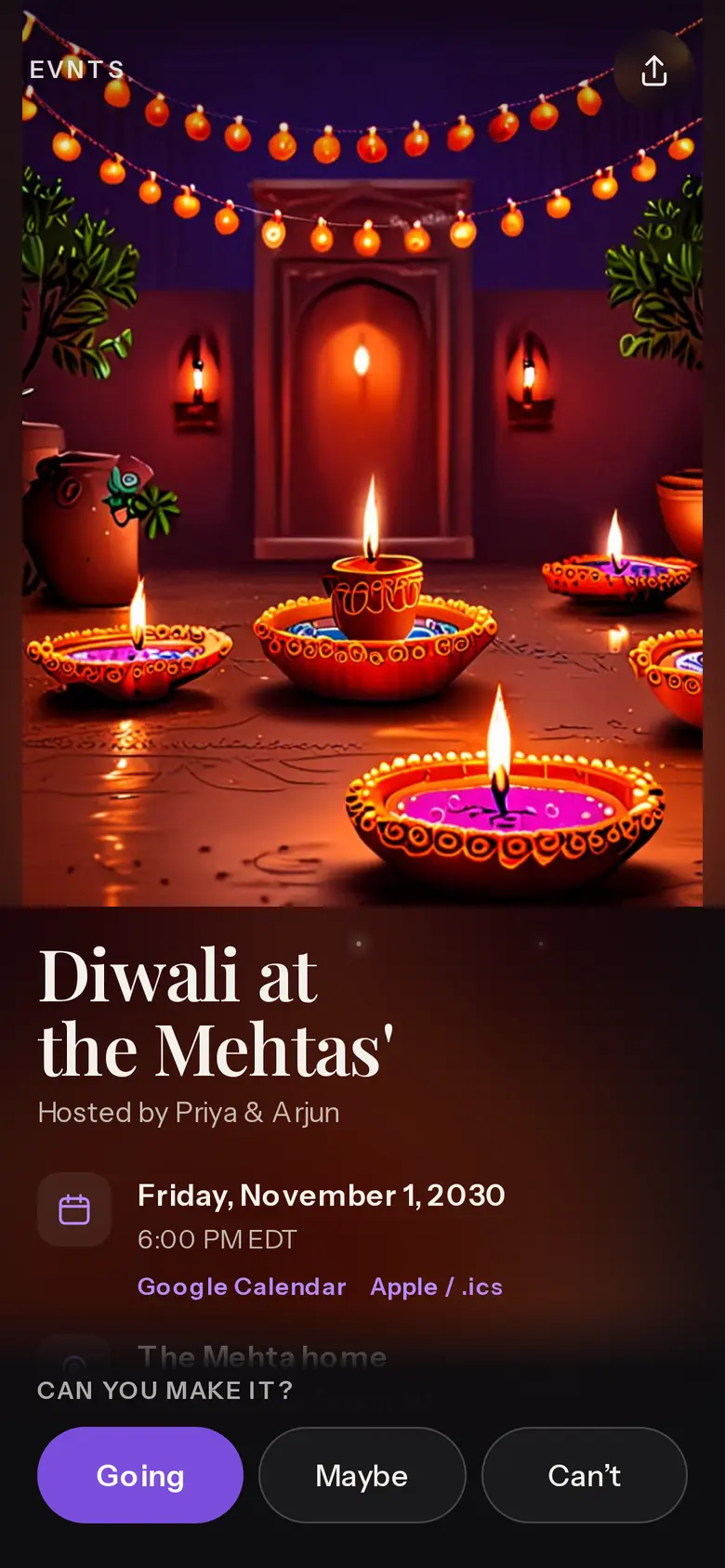
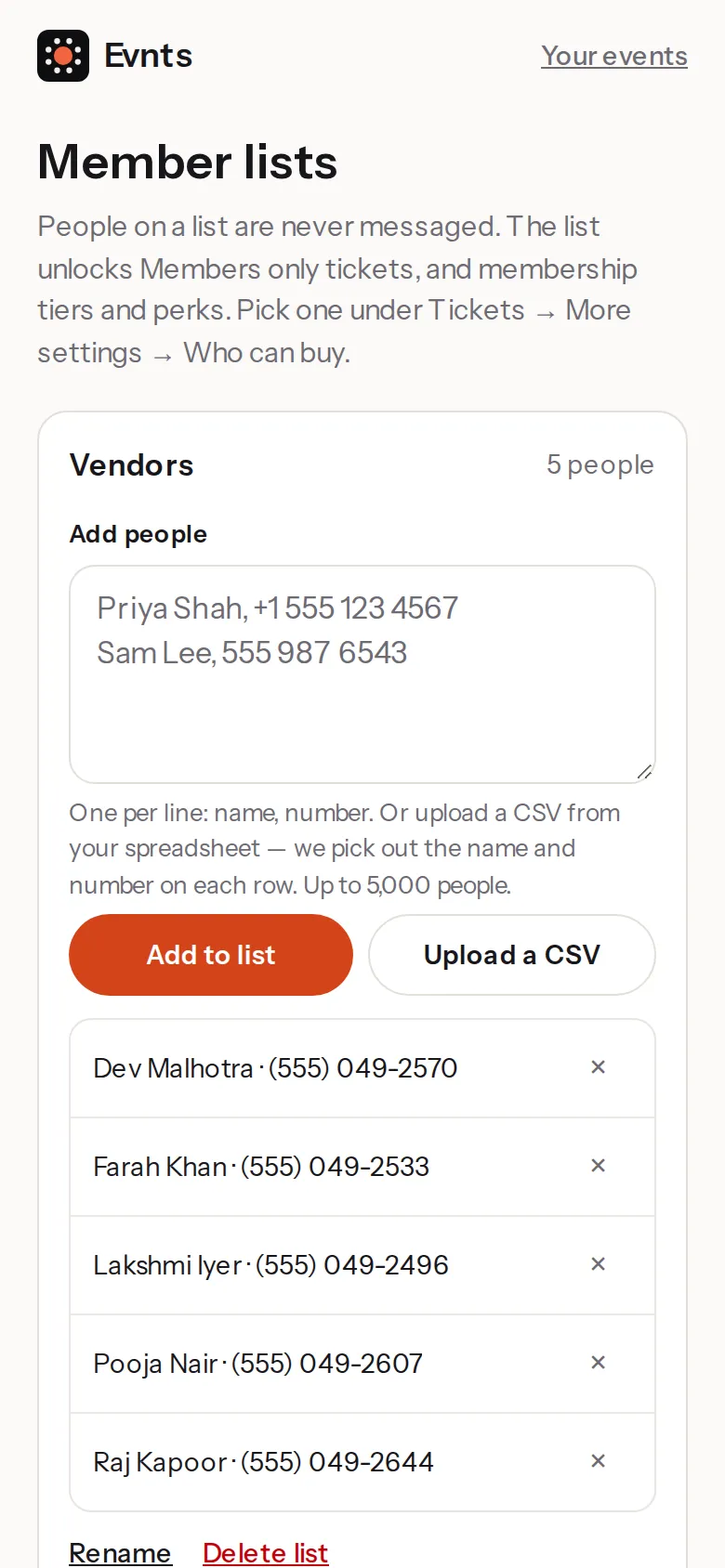
Only vendors you said yes to
An approved vendors list.
On your home page, open Member lists, make a list called Vendors and add each vendor's name and number once you've agreed. Nobody on a list is messaged by us.
Everyone else sees the stall ticket marked Members only.
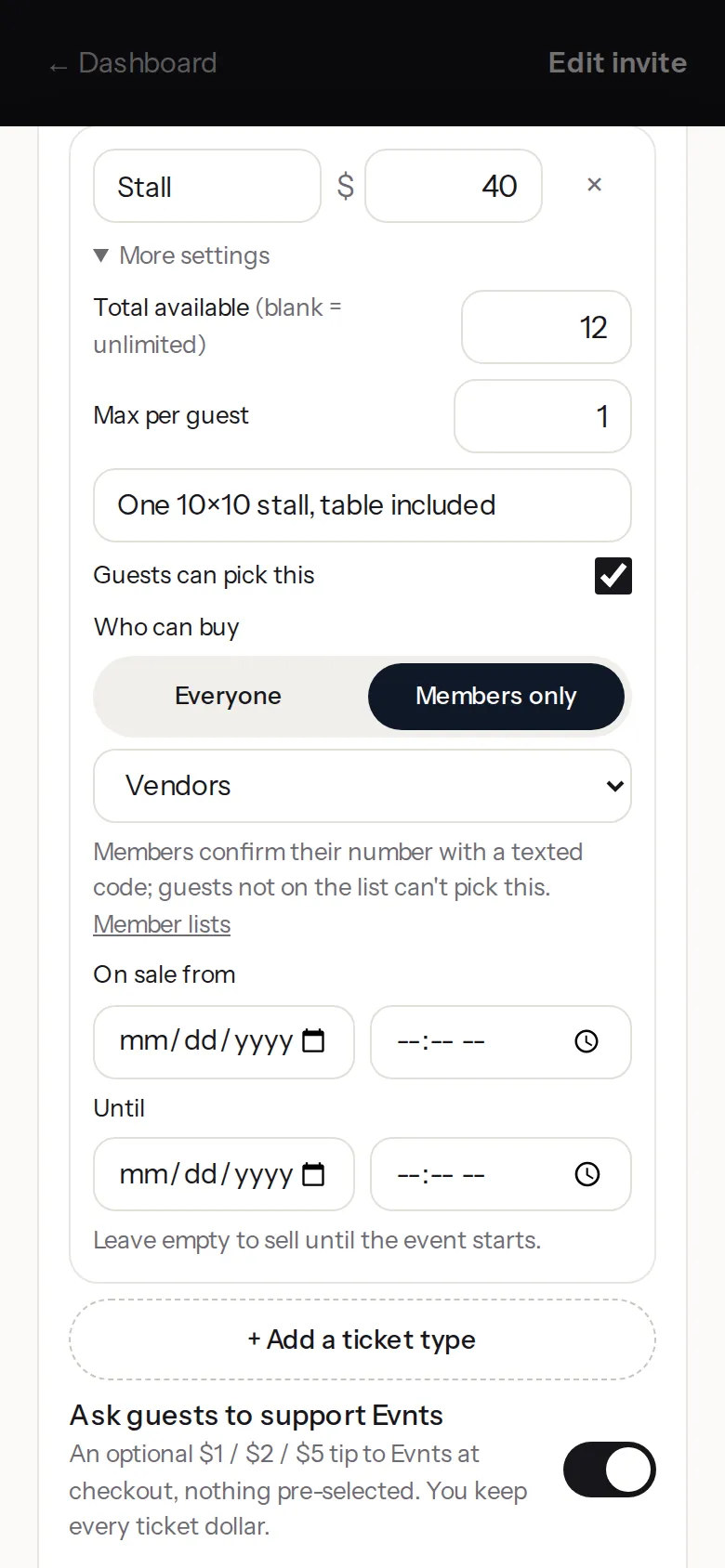
Stalls as a ticket type
Your price, your number of stalls.
In the editor, under Tickets, add a type called Stall. Set its total to your number of stalls and its max per guest to 1, then under More settings set Who can buy to Members only and pick Vendors.
Vendors confirm their number with a code and pay on a Stripe page; the money goes to your own Stripe account.
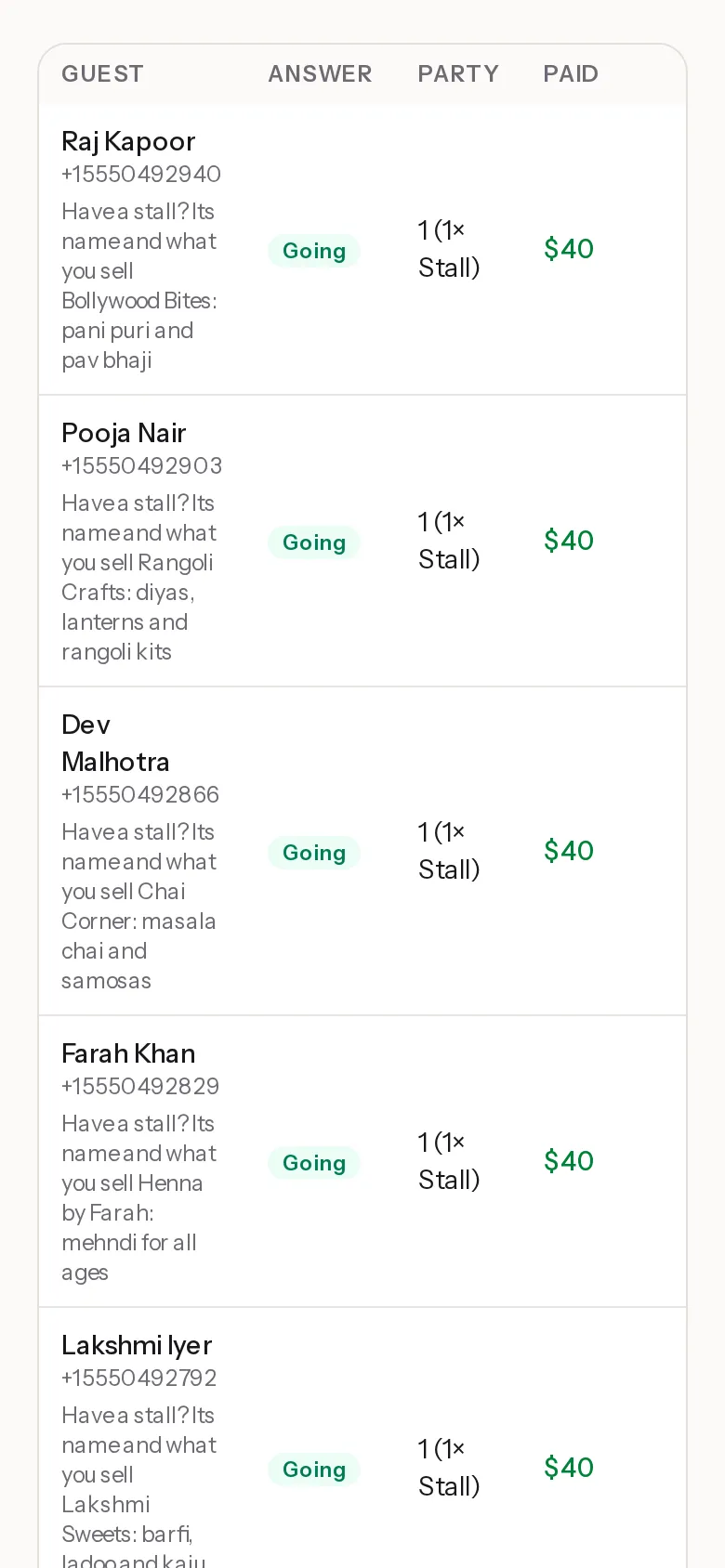
Every stall on one list
Who booked, and what they're selling.
The question “Have a stall? Its name and what you sell” sits on the RSVP. Visitors skip it, vendors fill it in, and you see the answer on your guest list.
Each vendor counts as one guest in your headcount, so leave room for them in your visitor numbers.
Questions
Can I approve vendors before they pay?
Yes. Add a vendor to your Vendors list once you've said yes; only numbers on the list can book a stall.
Can a stall be free?
Yes, set its price to 0. Members only still applies, so only your vendors can claim one.
What if a vendor drops out?
Refund them from their row on Guests, and the stall frees up for the next vendor.
Does Evnts take a cut of ticket sales?
No. Tickets are paid straight into your own Stripe account and Evnts adds no fee: Stripe's card fee is the only one. Guests can add an optional tip to Evnts at checkout, which you can switch off.
Do I need an invite to host?
Hosting is invite-only for now. You're in if a friend who hosts on Evnts sends you one of their invite links, or if you've RSVP'd to someone's Evnts invite, and a few open spots go to new hosts every day. If today's are taken, leave your email when you publish and we'll send you an invite. Guests never need one.
Ready when you are.
It's free, it takes about a minute, and your guests won't need to install anything. See everything Evnts does.
Make your invite