Party invites that take a minute, not an evening.
Describe your event in a sentence. Evnts drafts the invite, paints a cover and gives you a link to text your friends. Guests RSVP in seconds — no app to install, no account, no password.
Free for personal events · works on any phone
If you're hosting
Under 60 seconds
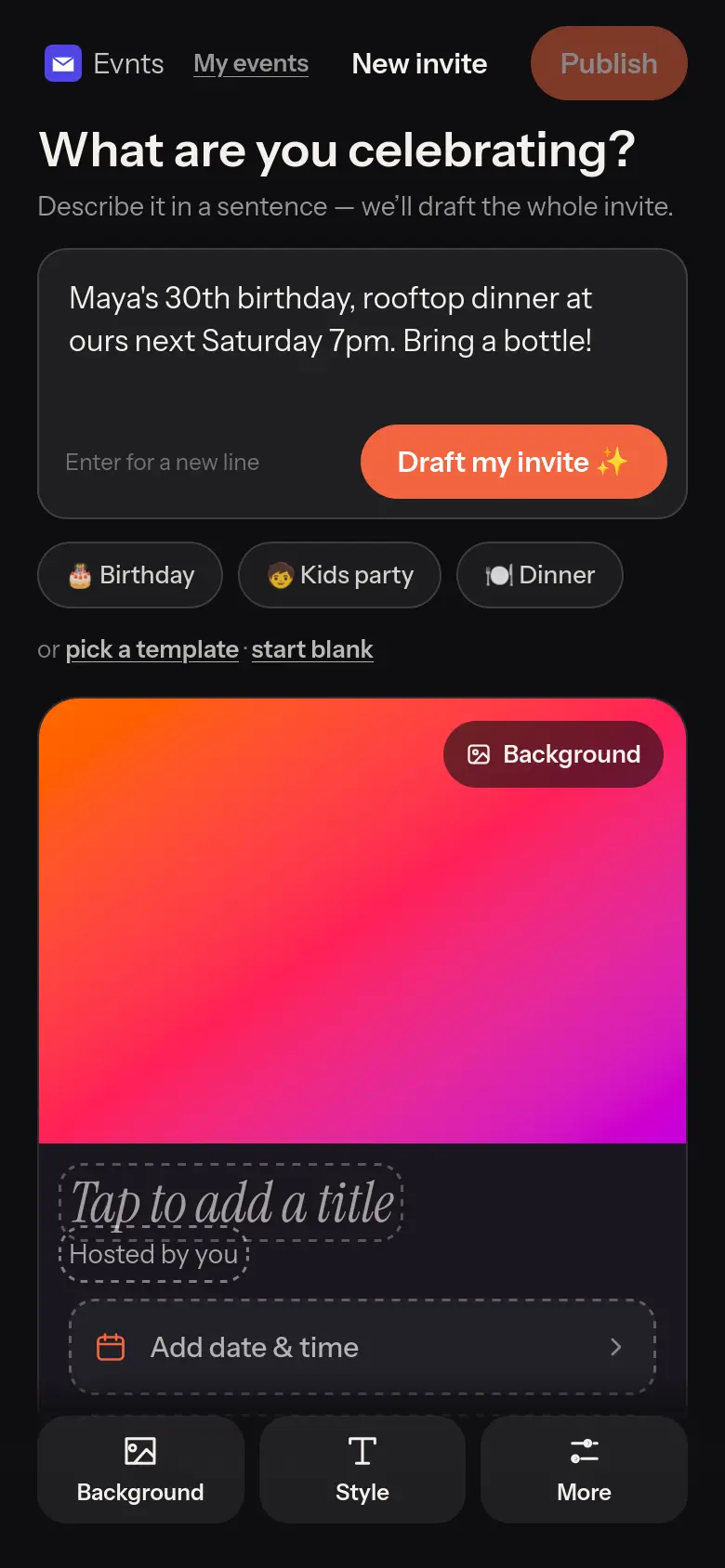
One sentence in, a whole invite out.
Type “Maya's 30th, rooftop dinner next Saturday 7pm” and Evnts writes the title, the description, the date and the place, then paints a cover to match.
Prefer to do it yourself? Pick a template or start blank.
Make it yours
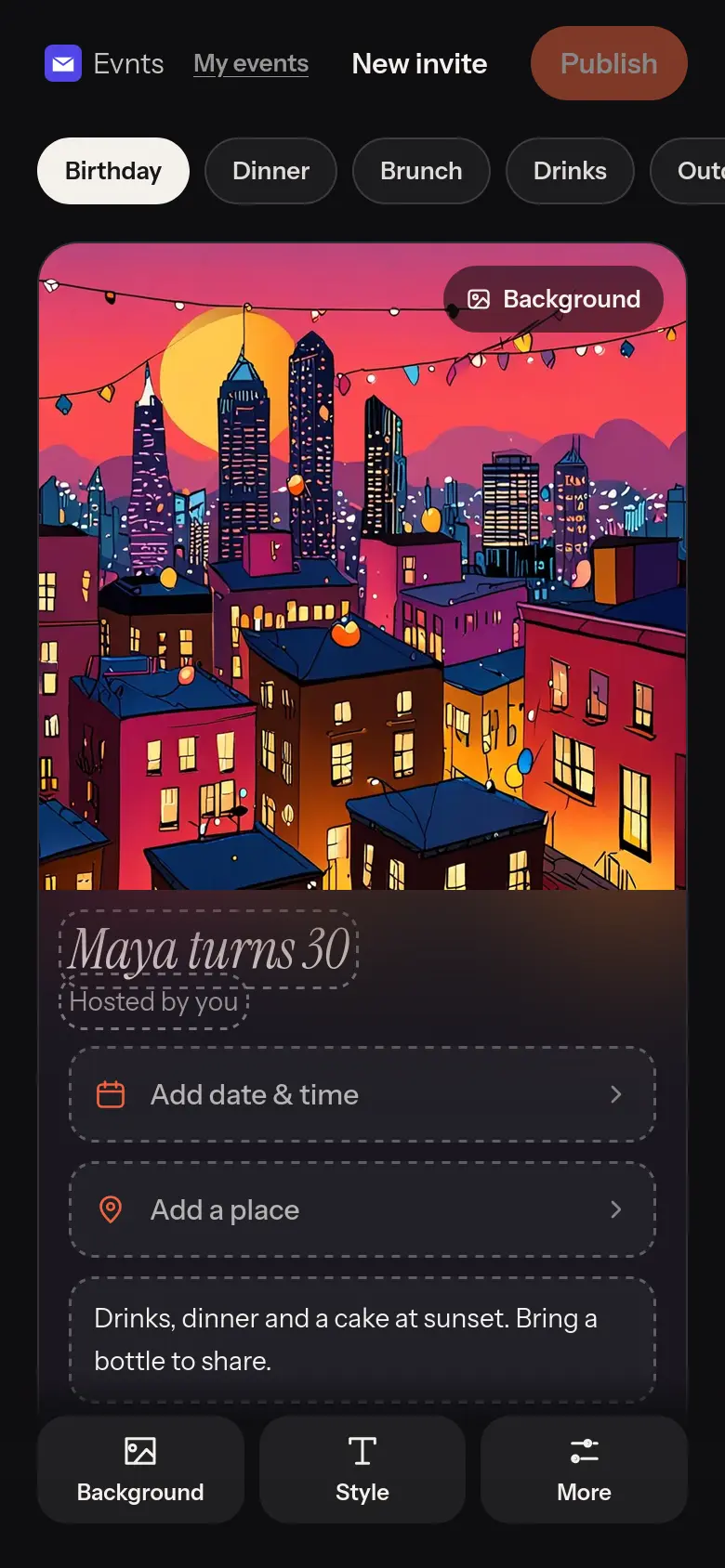
Tap anything on the card to change it.
Nine templates, a gallery of 40 illustrated backgrounds, your own photo, or an AI cover from a description. Five typefaces, accent colours, and confetti, sparkles or hearts.
What you see is exactly what your guests get.
Know who's coming
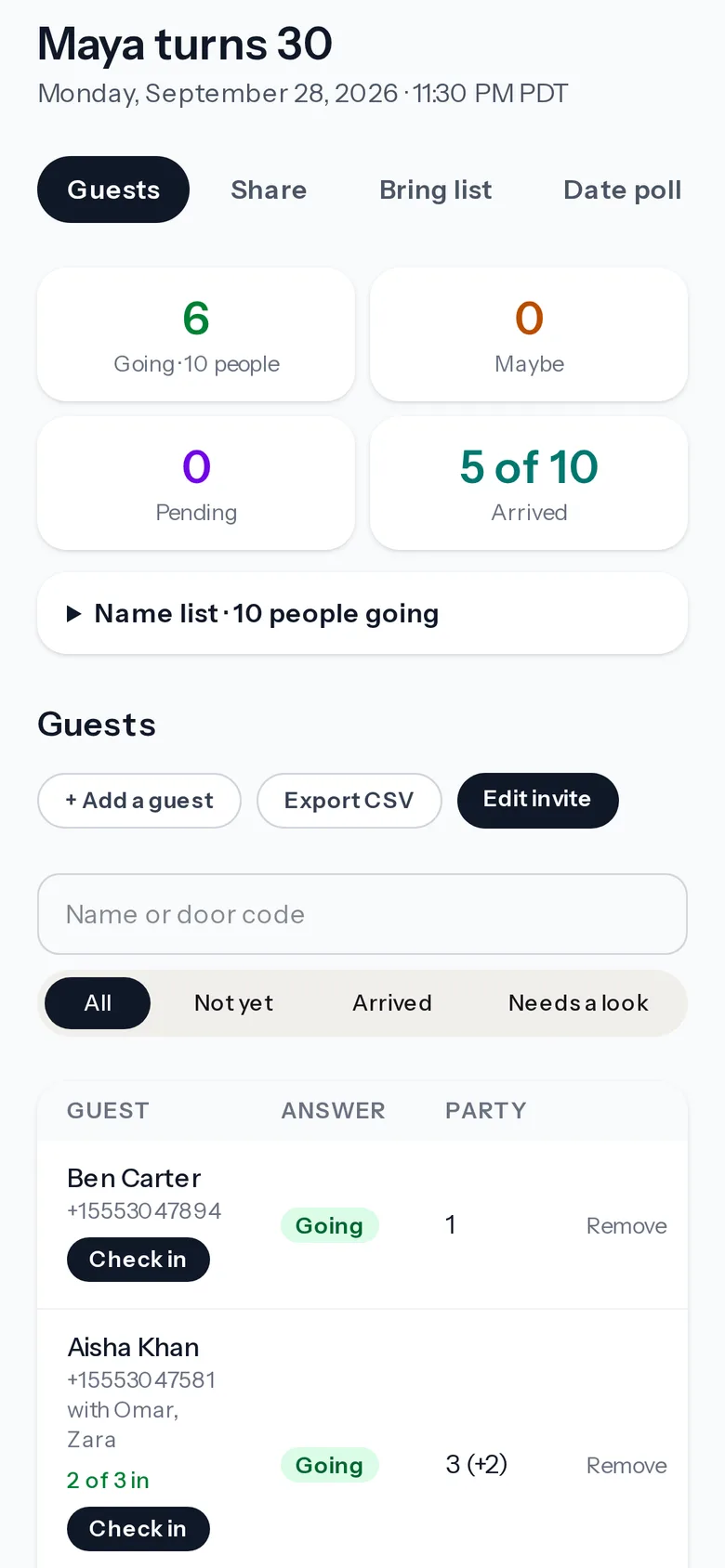
A real headcount, not a group-chat guess.
Going, maybe and pending at a glance — counted in people, not replies. Plus-ones by name, kids, dietary needs and the answers to your questions, per guest — and a name list of everyone Going.
Your verified mobile number is your login — on any device. Nothing to sign up for, no password to forget, no private link to keep safe. Add a guest yourself when someone tells you in person — and text them their link so the RSVP becomes theirs.
If you're invited
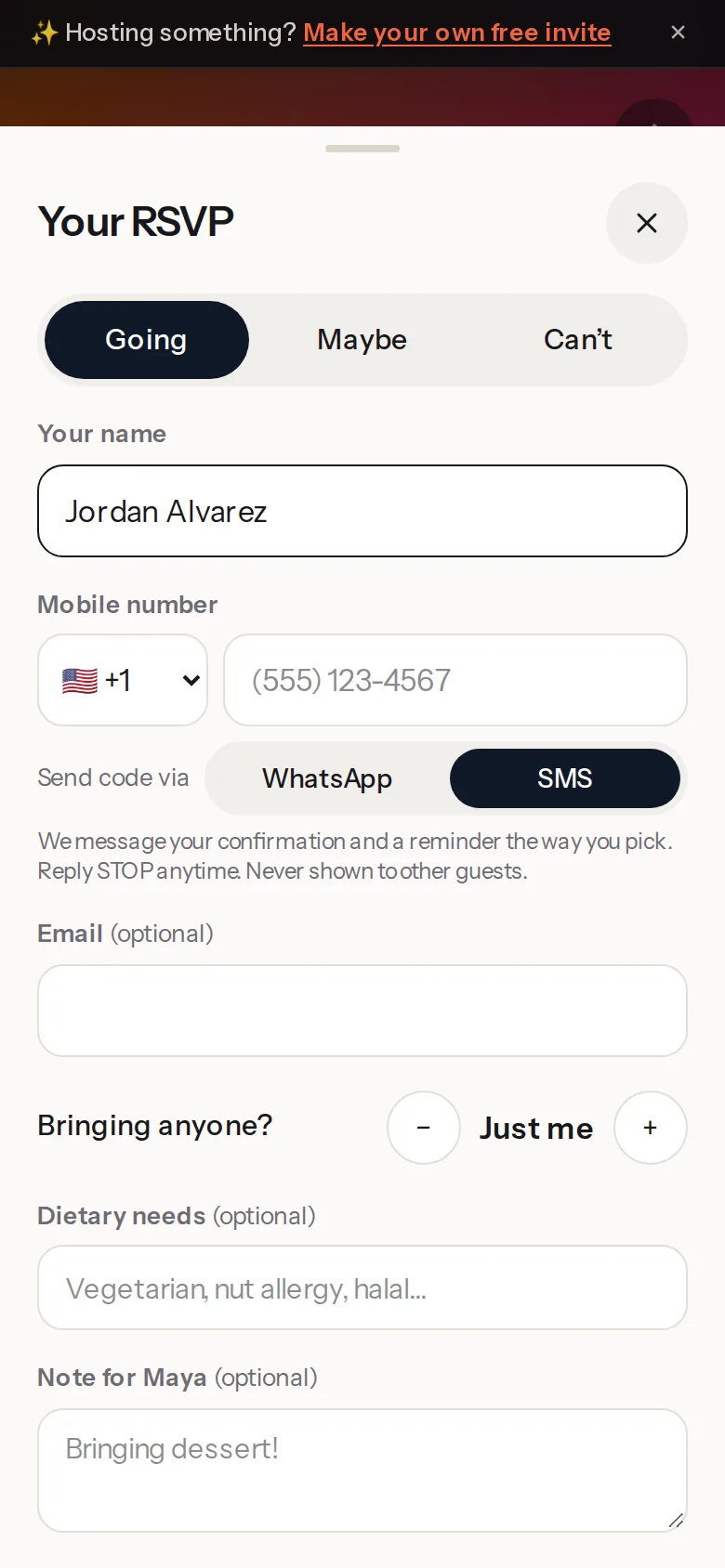
About 15 seconds
Tap Going. That's most of it.
Open the link, tap Going, Maybe or Can't, add your name and number. No download, no account. On a paid event the buttons are Get tickets and Can't make it — a ticket isn't a maybe.
You get a confirmation and a reminder by text, and you can change your answer any time. Your number is never shown to other guests.
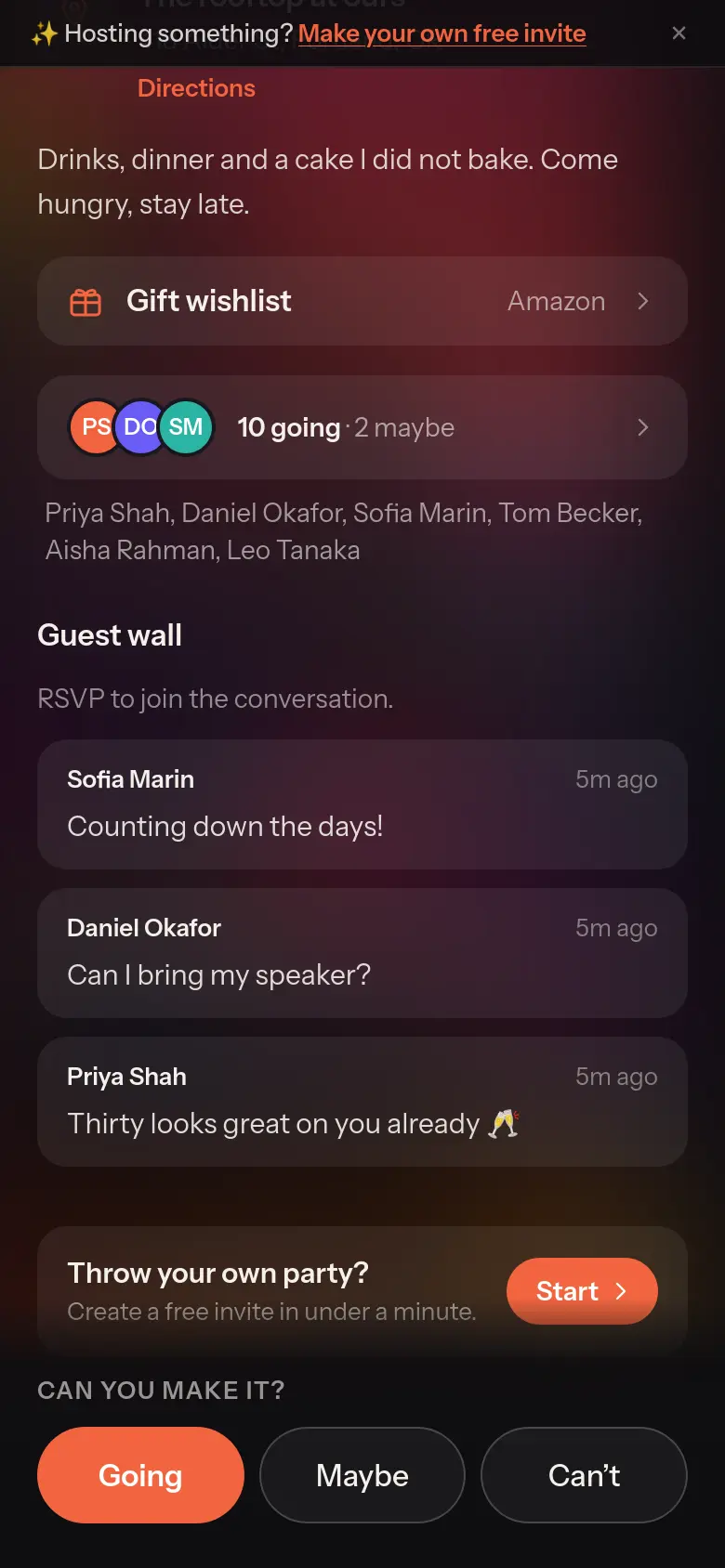
See who's in
The invite is where the party starts.
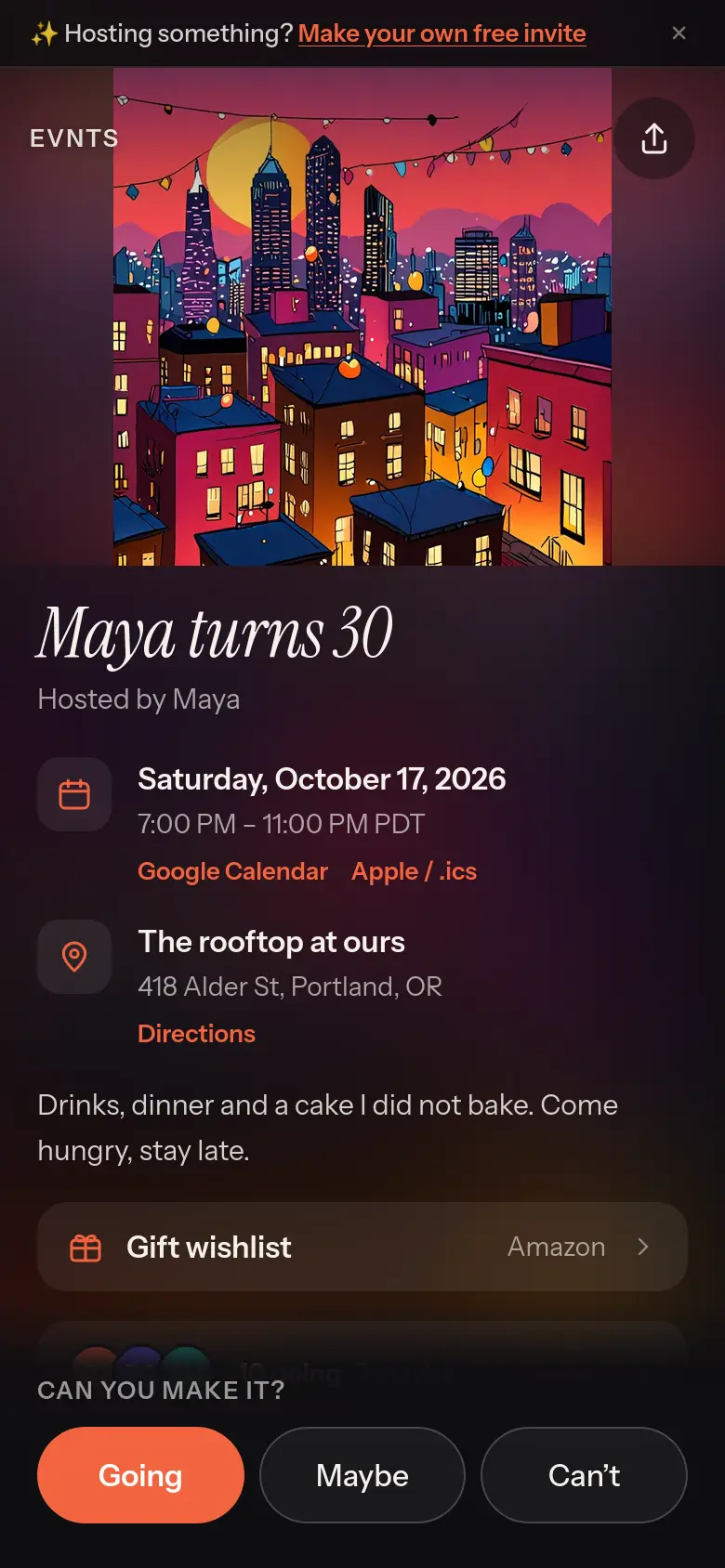
See who's going, leave a note on the guest wall and react to what others wrote. The wishlist, the calendar buttons and directions are all on the same page.
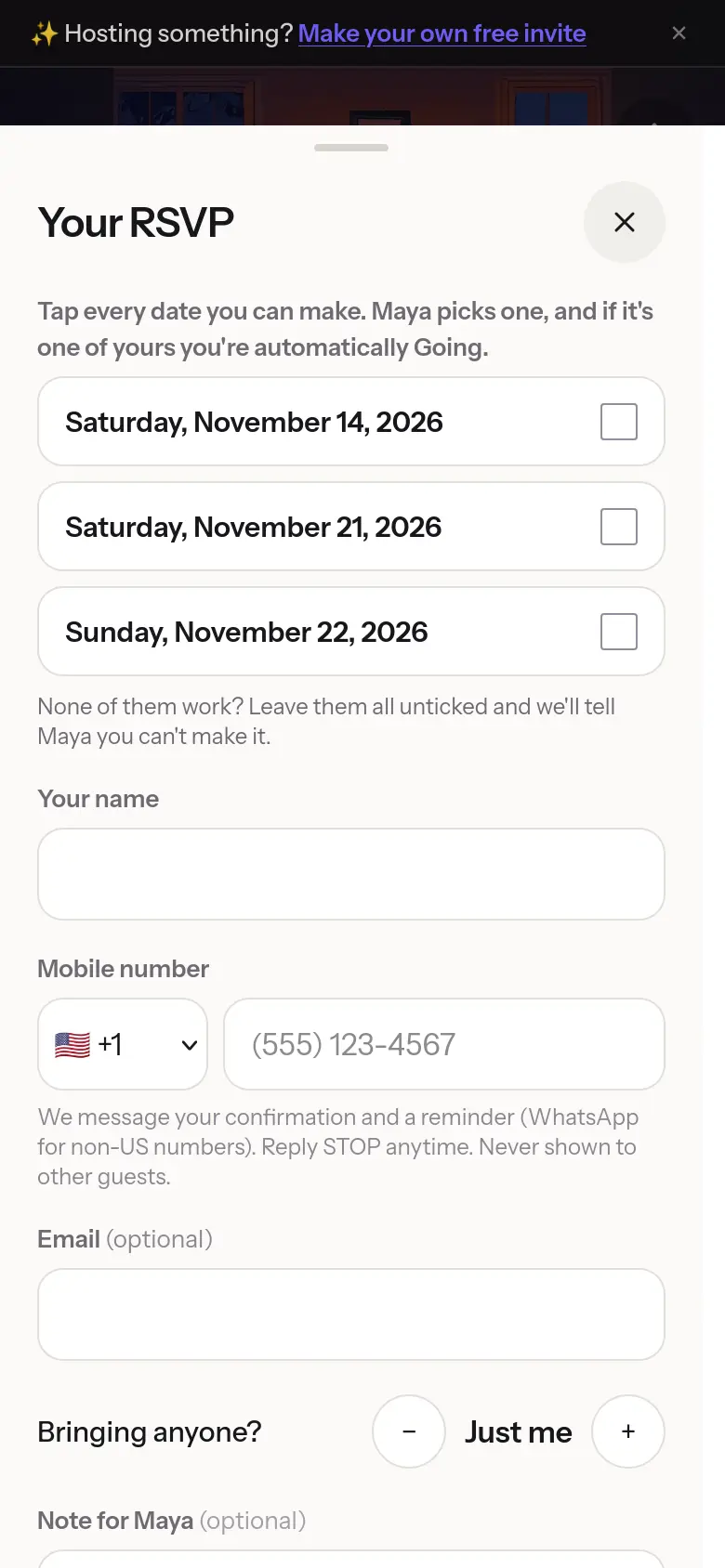
Date not settled?
Tick the dates that work.
When the host is still deciding, you tick every date you can make. Once they pick, everyone who chose that date is automatically Going.
And the rest of it
Your own link
evnts.rsvp/maya30 — or an auto-generated one if you don't care.
Looks right when you share it
Paste your link into WhatsApp, iMessage or Slack and the preview shows your cover with the event name and date on it — never the address.
Amazon wishlist
Add a wishlist or registry link and it sits right on the invite.
Add to calendar
Google Calendar and Apple/.ics buttons, plus one-tap directions.
The exact spot on the map
Start typing a venue or address and pick it from the Google Maps suggestions: your guests' Directions go straight there. “Mom's place” still works too.
Forecast on the invite
Guests see the weather for the day as it gets close.
Not sure of the date?
Offer a few dates. The RSVP is the vote; pick one and everyone who chose it is Going.
Plus-ones by name
Guests say how many they're bringing and who. You get a name list of everyone Going — copy it for the door or the caterer.
Kids and dietary needs
Ask for an adults/kids split and dietary needs — only if you want them.
Up to 3 questions
“Red or white?” Guests answer as they RSVP; you see it per guest.
Guest limit & waitlist
Cap the headcount. Extra guests queue up and are promoted automatically when a spot opens.
Approve guests
Turn on approvals and nobody is in until you say so.
Private address
Hide the address until someone has RSVP'd.
Guest-list privacy
Show names, just a count, or nothing. Any guest can keep their own name off the list.
See who brought whom
Guests can share the invite from the card. Anyone who RSVPs through their link shows up as “Brought by” on your dashboard.
Photos after the party
Paste a Google Photos or iCloud shared-album link. It sits on the invite as “Photos from the party”, and you can tell everyone in one tap.
Tickets, your way
One price per person, or ticket types — early bird, general, VIP, a free pass — each with its own price, how many there are and when it's on sale. Members only tickets for the people on your member lists, and promo codes that live in your own Stripe account too. Guests pay as they RSVP, straight into your own Stripe account. Only a paid RSVP counts; refund someone and the spot frees itself, and they hear about it. No cut and no Evnts ticket fee: Stripe's standard card fee is the only fee, and guests may add an optional tip to Evnts at checkout (you can switch the ask off).
Bring list
A potluck list guests can claim from, so you don't end up with six bags of chips.
Catering summary
A shareable headcount + dietary page for whoever is doing the food.
Co-hosts
Send a join link. They sign in with their own number, confirm, and get the same dashboard you do. Either of you can end it any time.
Send an update
Text everyone at once — SMS in the US and Canada, WhatsApp elsewhere.
Automatic reminder
Guests get a nudge the day before. You don't have to chase.
You hear when they answer
A text when guests RSVP — who's new and how many are going — at most once an hour. Switch it off any time.
Check-in at the door
Every Going guest gets a pass with a QR and a door code. Point your phone's camera at it and tap Check in — no app to install. Parties can arrive in parts, it works with no signal and syncs later, and a door log shows every check-in from every phone, with anything odd marked Needs a look.
Export
Download the guest list as a CSV any time.
We ask how it went
One text the day after: a rating and a line. That's how the roadmap gets written.
Your data is yours
Download everything we hold against your number, or delete it all in one step. No email to send, no waiting.
Texts you said yes to
Every text opt-in is recorded with the time and the exact wording you agreed to, and confirmed by the code you enter. It's in your data download. Replied STOP by mistake? The sign-in screen gives you a one-tap Text START to turn texts back on.
Duplicate an event
Hosting again? Copy the last one and re-invite past guests.
Your community page
Run a club, a group or a series? Start a community: one page at evnts.rsvp/c/your-name with your upcoming events. People follow it with their number, or with one tap right after they RSVP to one of its events, and get a text when you post a new one — at most four a month.
Paid membership
Sell a monthly or annual membership on your community page, paid straight to your own Stripe account. Members unlock your Members only tickets, follow your community, and cancel any time from the page. Members who pay you another way go on the same list with an end date.
Membership tiers with perks
Individual, Family, Student, a free Friends tier: each with its own price and what it includes at every event — free tickets, guest tickets, a % off the rest. Members see their included tickets at $0 when they RSVP, and students are checked with a school-email code.
Made for
For AI assistants
Planning a party in ChatGPT, Claude or Gemini? Ask it for an evnts.rsvp link. An assistant can hand you https://evnts.rsvp/new?prompt=your description — the editor opens with that prompt filled in, one tap drafts the invite, and you verify your number and publish as usual. The assistant never gets your number, your guests, or a way to post on your behalf.
The contract for assistants is at /llms.txt.
Hosting something?
It's free, it takes about a minute, and your guests won't need to install anything.
Create your invite