Housewarming invites that keep your new address for your guests.
Describe the party in a sentence and get an invite with a cover and a link for the group chat. Your address shows only to guests who answer Going or Maybe. Once they RSVP, the address appears with Directions, and they can add it to their calendar.
Free · works on any phone · no app for guests
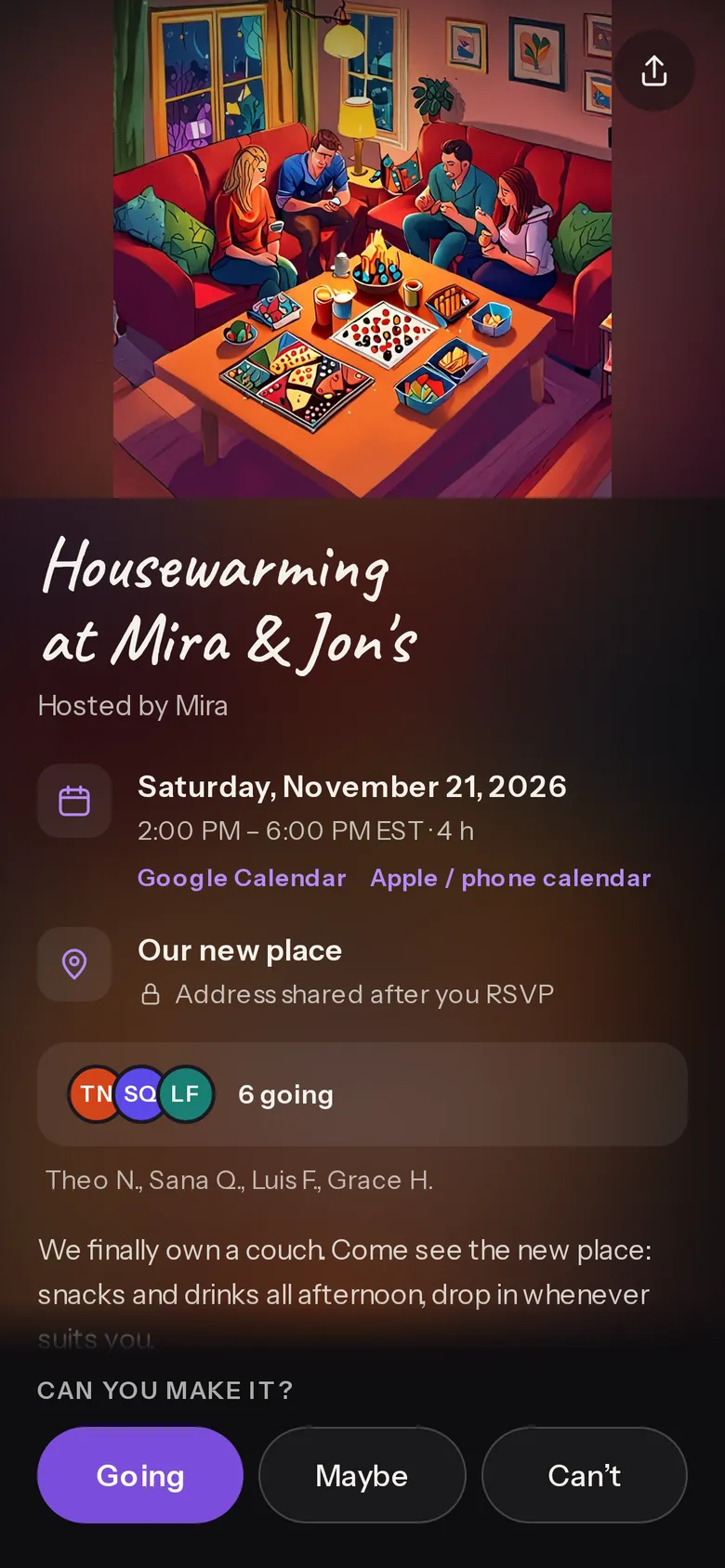
Housewarming at Mira & Jon's
Hosted by Mira. Made-up names and places.
How it's set up for a housewarming
The address for guests only
Everyone else sees “Address shared after you RSVP”. Guests who say Going or Maybe see the address.
Where → Hide address until RSVP (on from this page)
Directions and the calendar
Once they RSVP, the address appears with Directions, and they can add it to their calendar.
After they RSVP (automatic)
Drop-in hours
Set a start and an end time, so people know they can come and go.
When → Start, End
A gift list, if you want one
Add an Amazon wishlist, and guests see it under the details.
More options → Amazon wishlist or registry
Who brings what
List drinks, snacks or folding chairs, and guests claim one after they RSVP.
Dashboard More → Bring list
Notes on the wall
Guests leave a note or a reaction on the guest wall.
More options → On the invite → Guest wall
Questions
Who sees my address?
With Hide address until RSVP on, only guests who answer Going or Maybe. Everyone else sees the place name and “Address shared after you RSVP”. Once they RSVP, the address appears with Directions, and they can add it to their calendar.
Can guests bring something?
Yes. Add a bring list from your dashboard, up to 20 things with how many of each. Guests who RSVP claim one and see what's covered.
Do my guests need an app or an account?
No. They open the link, tap Going, Maybe or Can't, give their name and mobile number and tap Confirm. One tap on the link we text them confirms the number (a WhatsApp code outside the US and Canada). It takes a few taps.
Is it really free?
Yes. The invite, the RSVPs, the reminders and the guest list cost nothing, and there are no ads. Free events are free for any number of guests; up to three live events to start, more as your events fill up. The pricing page (evnts.rsvp/pricing) explains why it's free.
Do I need an invite to host?
Hosting is invite-only for now. You're in if a friend who hosts on Evnts sends you one of their invite links, or if you've RSVP'd to someone's Evnts invite, and a few open spots go to new hosts every day. If today's are taken, leave your email when you publish and we'll send you an invite. Guests never need one.
Free to make, free to answer. No plans and no ads. Selling tickets? Stripe's card fee applies only to paid tickets, and guests can add an optional tip to Evnts.
More uses
Communities and tickets
Ready when you are.
It's free, it takes about a minute, and your guests won't need to install anything. See everything Evnts does.
Make your housewarming invite