Know which kids are coming, without chasing parents at pickup.
Describe the party in a sentence and get an invite with a cover and a link for the class WhatsApp group. Parents answer for their family in a few taps, with adults and kids counted apart, and get a reminder the day before.
Free · works on any phone · no app for guests
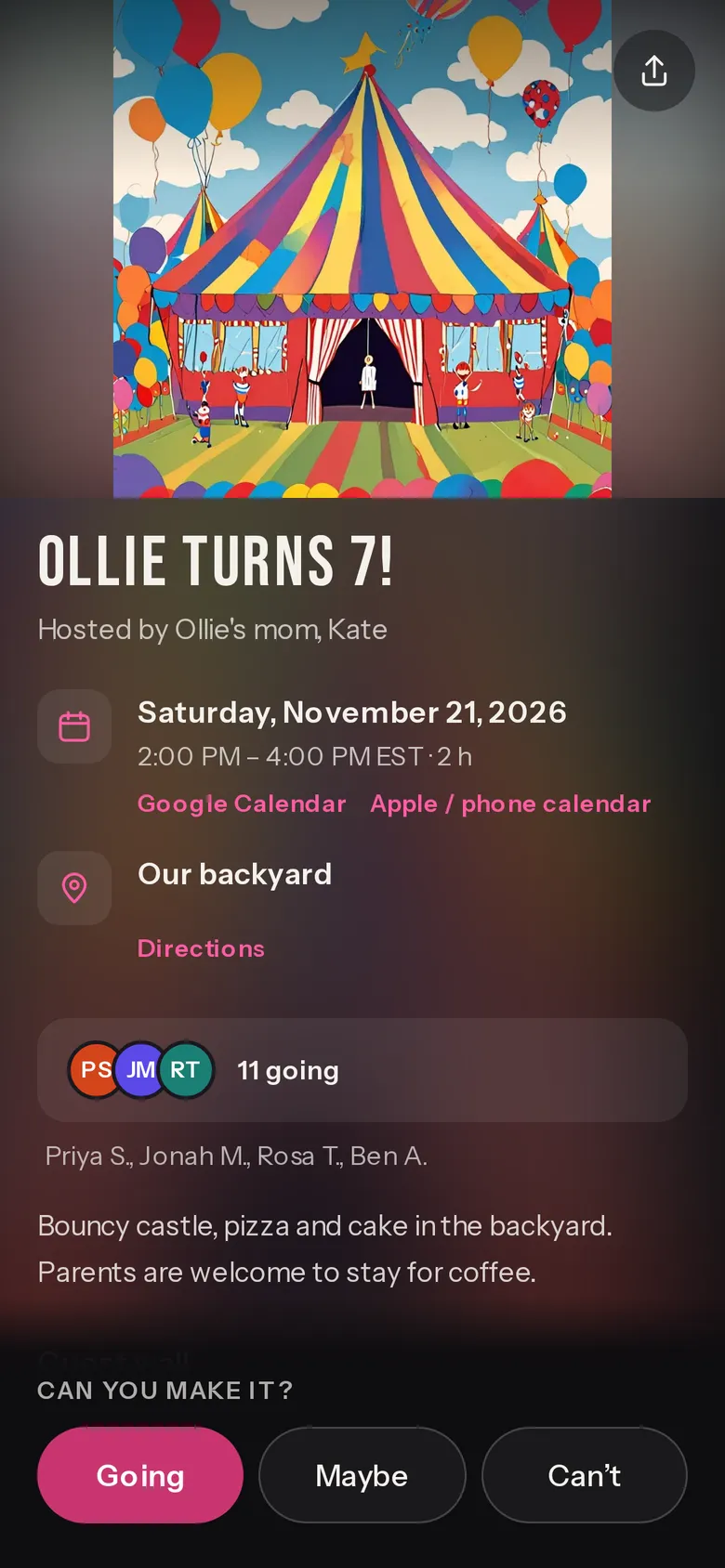
Ollie turns 7!
Hosted by Ollie's mom, Kate. Made-up names and places.
How it's set up for a kids' birthday
Parents answer for the whole family
Each RSVP says how many adults and how many kids, so the cake and the goody bags come out right.
More options → Who's coming → Ask adults + kids (on from this page)
Know who's staying
“Staying for the party, or dropping off?” sits on the RSVP, and the answers land on your guest list.
More options → Ask guests a question (added from this page)
A reminder the day before
Confirmed Going and Maybe guests get a text or WhatsApp the day before.
More options → Messages → Reminder the day before (on)
A limit, with a waitlist
Set a capacity, and the waitlist lets the next family in when a spot frees up.
More options → Who's coming → Capacity, Waitlist when full
Gift list now, photos later
Put an Amazon wishlist on the invite, and add the photo album link after the party.
More options → Amazon wishlist or registry · Photo album link
Know when parents answer
You get a message when parents answer, at most one an hour, and one nudge if nobody answers in a day.
More options → Messages → Tell me when guests answer
Questions
Do my guests need an app or an account?
No. They open the link, tap Going, Maybe or Can't, give their name and mobile number and tap Confirm. One tap on the link we text them confirms the number (a WhatsApp code outside the US and Canada). It takes a few taps.
Can I see how many kids are coming?
Yes. Ask adults + kids is on when you start from this page, so every RSVP says how many of each. Parents can name who they're bringing.
Can I ask about allergies?
Food preferences (vegetarian, halal) is a switch under More options. It asks guests to leave out allergies and medical details, so ask parents directly about allergies.
Will it work in the class WhatsApp group?
Yes. The link shows a preview with the cover, the title and the date. Outside the US and Canada the code comes on WhatsApp; in the US and Canada parents pick text or WhatsApp.
Is it really free?
Yes. The invite, the RSVPs, the reminders and the guest list cost nothing, and there are no ads. Free events are free for any number of guests; up to three live events to start, more as your events fill up. The pricing page (evnts.rsvp/pricing) explains why it's free.
Do I need an invite to host?
Hosting is invite-only for now. You're in if a friend who hosts on Evnts sends you one of their invite links, or if you've RSVP'd to someone's Evnts invite, and a few open spots go to new hosts every day. If today's are taken, leave your email when you publish and we'll send you an invite. Guests never need one.
Free to make, free to answer. No plans and no ads. Selling tickets? Stripe's card fee applies only to paid tickets, and guests can add an optional tip to Evnts.
More uses
Communities and tickets
Ready when you are.
It's free, it takes about a minute, and your guests won't need to install anything. See everything Evnts does.
Make your kids' party invite