Evnts vs Whova
Evnts vs Whova: a conference app, or a link guests just tap?
Whova is built for conferences: an attendee app with agendas, networking and sponsor listings, plus registration at 3% + $0.99 per paid ticket. If you're running a party, a meetup or a community show, Evnts is free, guests need nothing installed, and Evnts adds no fee on tickets.
Free · works on any phone · no app for guests
Choose Whova if you run conferences where the attendee app, networking and sponsor exposure are the point.
Where Whova winsChoose Evnts if you're inviting friends or your community and want guests to answer from a link with nothing to install, and paid tickets with no Evnts fee.
Make your inviteIs there a free Whova alternative for small events?
| Evnts | Whova | |
|---|---|---|
| Price | Free | By quote, depending on event size and options; prices not published |
| Fees on paid tickets | No Evnts fee; Stripe's standard card fee comes out of your payout | 3% + $0.99 per ticket, paid into your Stripe account; free tickets have no fee |
| What it's for | Parties, meetups, classes and community shows | Conferences, trade shows, association and education events |
| Guests need | Nothing: a link, their name and mobile number, confirmed with a code by text (WhatsApp outside the US and Canada) | To use the event app or web portal, an account with an email and password |
| Event app | None to install; everything works in the phone's browser | Free attendee app for iOS and Android with agendas, networking and messaging, plus a web portal |
| Check-in | A pass with a QR code and door code, scanned from any phone; works with no signal | Check-in and name badges |
| Small, repeat events | Free; up to three upcoming events at a time on one number | MicroEvents, an annual add-on sold only with a large-event package |
Facts about Whova checked in October 2026 from their own site; see sources below. Spotted something out of date? Tell us and we'll fix it.
What does a ticket cost in fees?
Whova: 3% + $0.99 per paid ticket. Evnts: no fee; Stripe's card fee only.
| Ticket price | Whova | Evnts |
|---|---|---|
| $10 | $1.29 | $0 (Stripe's card fee only) |
| $20 | $1.59 | $0 (Stripe's card fee only) |
| $50 | $2.49 | $0 (Stripe's card fee only) |
Whova's fee is on top of its platform price, which is quoted per event; Whova says you can pass the fee on to registrants. Its pages don't say whether Stripe's own card fee is extra. Figures from Whova's published registration fees, checked October 2026.
When Whova is the better pick
- You run a conference with a multi-track agenda, speakers, sponsors and exhibitors.
- You want attendees networking in an app: profiles, messaging, meet-ups and a community board.
- You need abstract submissions, name badges, certificates or lead retrieval for exhibitors.
Where Evnts shines
- Free for personal events, with no ads and no limit on guests.
- Guests need nothing: no app, no account. They answer from the link in about 15 seconds.
- Paid tickets go straight to your own Stripe account, with no Evnts fee.
- Describe the event in one sentence and get a finished invite with a painted cover.
- A reminder text the day before, and your updates by text, WhatsApp or email.
- A QR pass for every guest, checked at the door from any phone, even with no signal.
- Reserved seats picked on a phone, held while guests pay.
Switching from Whova
- Describe your next event in one sentence and let the draft fill in the title, details, date and cover.
- Connect your Stripe account and add ticket types, promo codes or member prices.
- Add the questions your registration form used to ask, plus dietary needs or plus-ones if they matter.
- Share the link wherever your guests are: a text, the group chat, WhatsApp or an email you send yourself. They don't install anything.
- At the door, scan passes from any phone. Export the guest list as a CSV whenever you need it.
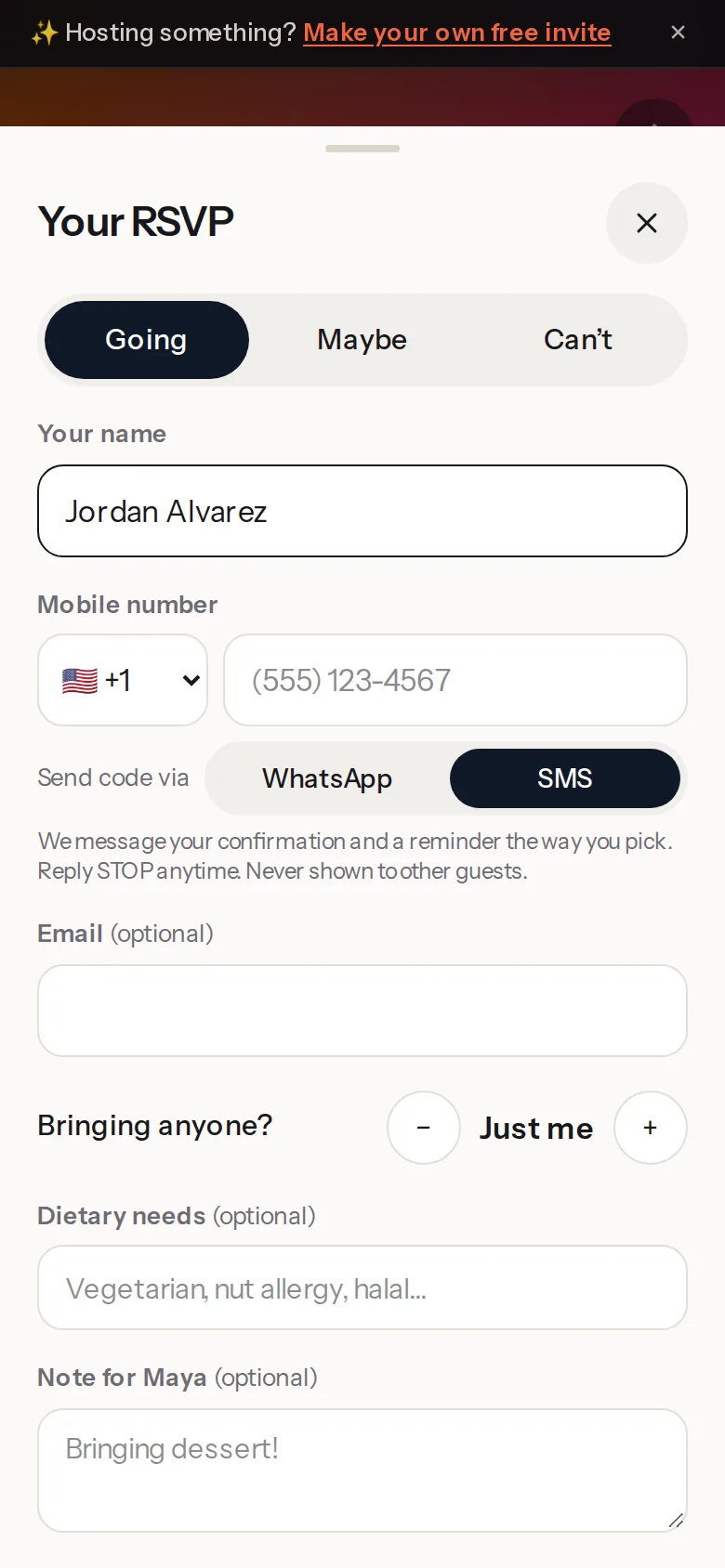
About 15 seconds
Guests answer from the link. No ads, no app.
Going, Maybe or Can't, their name and their number, plus-ones by name. Everyone gets a reminder the day before, and you see a live headcount.
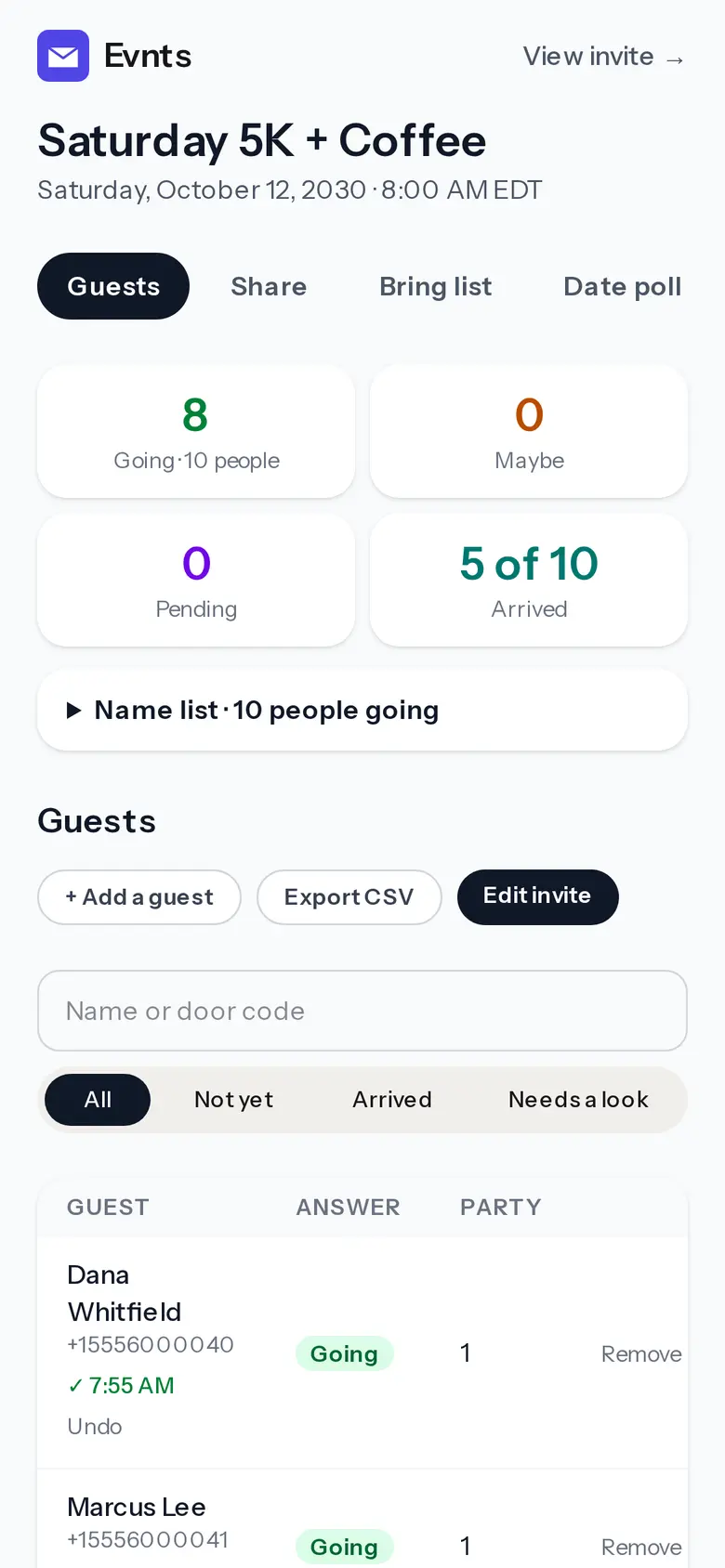
Check-in at the door
Scan the pass, tap Check in.
Every paying guest gets a pass with a QR code and a door code. It works with no signal, from as many phones as you have volunteers.
Questions
Do my guests need to download anything?
No. They open the link, tap Going, Maybe or Can't, and give their name and mobile number. A code by text (WhatsApp outside the US and Canada) confirms it.
Does Evnts charge a fee on tickets?
No. The money goes to your own Stripe account and Stripe's standard card fee is the only fee. Guests can add an optional tip to Evnts at checkout; you can switch that ask off.
Is Evnts a Whova alternative for conferences?
No. Evnts has no agenda, attendee networking or sponsor tools. It's for parties, meetups and community shows where a conference app is more than you need.
Try it on your next party.
It's free and takes about a minute. Compare Evnts with other tools.
Make your inviteSources (Whova, checked October 2026)
- Whova: pricing (quote request)
- Whova: nonprofit event registration (3% + $0.99 per ticket)
- Whova: event registration software (free tickets, Stripe payouts)
- Whova: who pays for Whova and how much it costs
- Whova: attendee guide (sign up with email and password)
- Whova: MicroEvents add-on
Whova is a trademark of its owner. Evnts is not affiliated with or endorsed by Whova.