Evnts vs SignUpGenius
Evnts vs SignUpGenius for potlucks and parties.
SignUpGenius is built for sign-up slots: volunteers, shifts, classroom lists. If what you need is a party invite with RSVPs and a bring list, Evnts does both on one free link, with no ads.
Free · works on any phone · no app for guests
Choose SignUpGenius for volunteer shifts, time slots and classroom sign-ups.
Where SignUpGenius winsChoose Evnts if what you need is a party invite with RSVPs and a bring list on one free link, with no ads.
Make your inviteNot sure? Ask an AI to compare them for you
Opens in a new tab with this question. It asks the AI to check other sources too.
See the prompt
Compare Evnts and SignUpGenius for someone planning a party or potluck. Use this page for the facts and their dates: https://evnts.rsvp/vs/signupgenius?utm_source=ai-ask&utm_medium=compare. Please also check SignUpGenius's own site and at least one independent source, say where the page might be out of date or biased (it is written by Evnts), and tell me which one fits me best. Ask me about my event first if that would help.
Is there a potluck sign-up sheet without ads?
| Feature | Evnts | SignUpGenius |
|---|---|---|
| Price | Free | Free plan; paid plans from $11.99 a month |
| Ads | None | The free plan shows ads on sign-ups; paid plans remove them |
| What it's for | An invite with RSVPs, a headcount and a bring list | Sign-up slots: volunteers, shifts, dishes |
| How guests answer | Tap the link, give a name and mobile number, tap Confirm | No account; usually a name and email |
| Reminders | An automatic text the day before | Automatic reminder emails; texts on paid plans |
| Collecting money | Tickets paid into your own Stripe account; no Evnts fee | Payment collection, with a processing fee |
Facts about SignUpGenius checked in September 2026 from their own site; see sources below. Spotted something out of date? Tell us and we'll fix it.
When SignUpGenius is the better pick
- You're scheduling volunteers or shifts across many time slots and days.
- You run recurring sign-ups for a school, church or league and need admin tools and volunteer-hour reports.
- Your organization needs enterprise features such as single sign-on, embedding or an API.
Where Evnts shines
- Free to use, with no ads and no limit on guests.
- Guests need nothing: no app, no account. They answer from the link in a few taps.
- Paid tickets go straight to your own Stripe account, with no Evnts fee.
- Describe the event in one sentence and get a finished invite with a painted cover.
- A reminder text the day before, and your updates by text, WhatsApp or email.
- A QR pass for every guest, checked at the door from any phone, even with no signal.
- Reserved seats picked on a phone, held while guests pay.
Switching from SignUpGenius
- Describe the event in one sentence on evnts.rsvp.
- Turn on the bring list and add the dishes or items you need; guests claim them when they RSVP.
- Share the link; guests answer and claim from their phone with nothing to install.
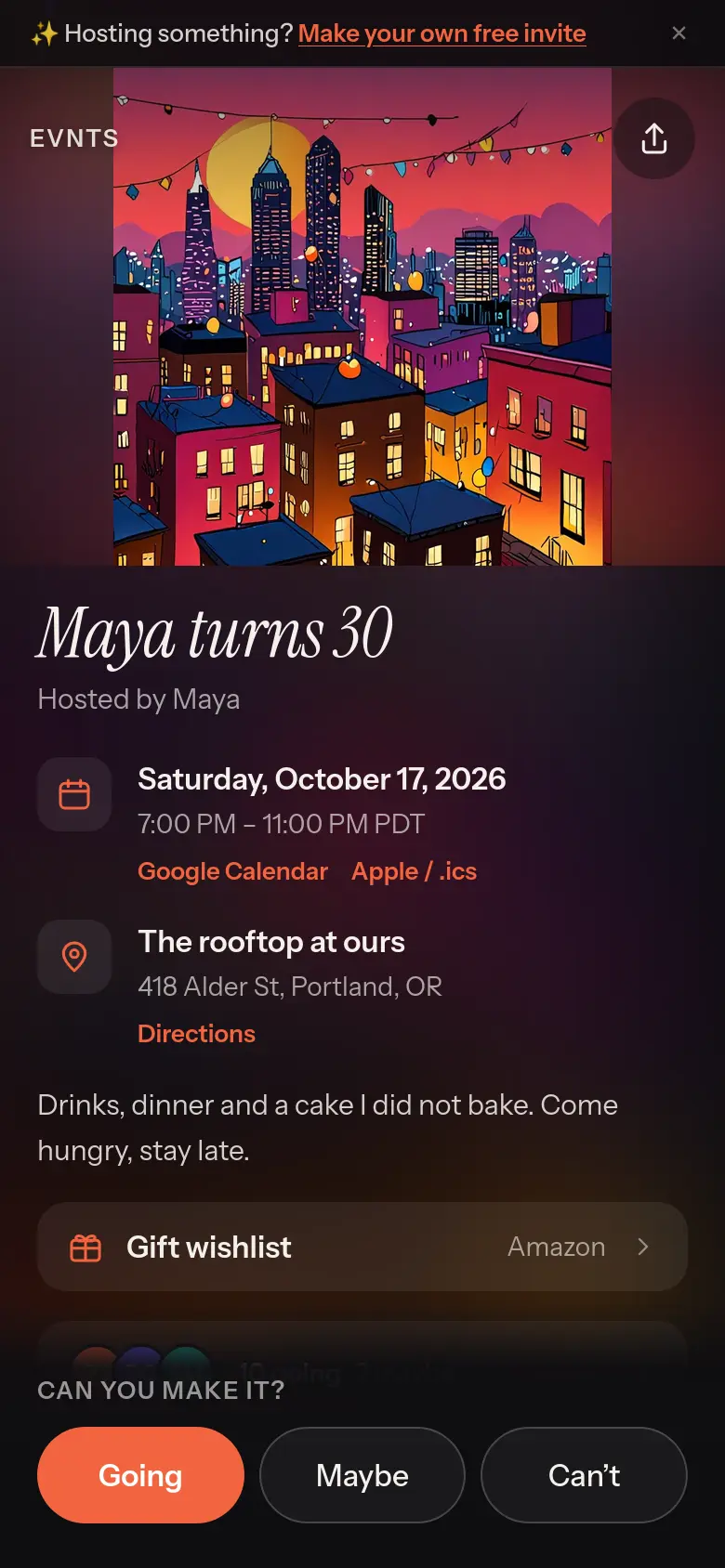
One link for everything
The invite, the RSVPs and the bring list together.
Guests see the date, the place and what's still needed, answer Going, Maybe or Can't, and pick a dish. You see a headcount in people, plus-ones and kids included.
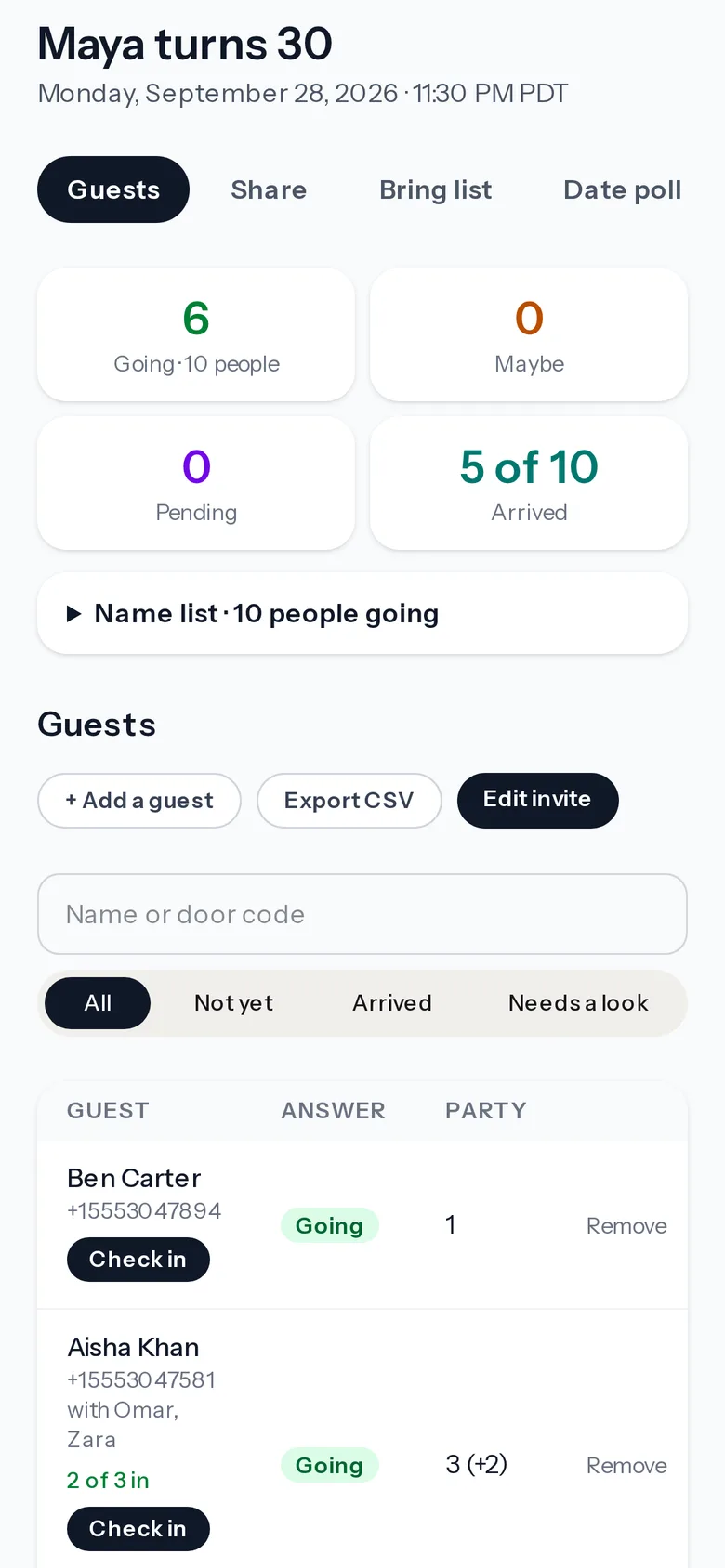
Food preferences
Vegetarian, vegan, halal: per guest.
Turn on food preferences and each guest tells you as they answer. Share a catering summary with whoever is cooking.
Questions
Can guests pick what to bring on Evnts?
Yes. Add a bring list (mains, sides, dessert, drinks) and once guests have RSVP'd they tap to take an item. Everyone sees who's bringing what, so nothing gets doubled up.
Do guests need an account?
No. They open the link, give their name and mobile number, and tap Confirm; a texted link confirms the number (a WhatsApp code outside the US and Canada).
Is Evnts good for volunteer shifts?
Not really. Evnts is built around one event with RSVPs and a bring list. For many shifts across days, SignUpGenius is the better tool.
Do I need an invite to host?
Hosting is invite-only for now. You're in if a friend who hosts on Evnts sends you one of their invite links, or if you've RSVP'd to someone's Evnts invite, and a few open spots go to new hosts every day. If today's are taken, leave your email when you publish and we'll send you an invite. Guests never need one.
Try it on your next event.
It's free and takes about a minute. Compare Evnts with other tools.
Make your inviteSources (SignUpGenius, checked September 2026)
SignUpGenius is a trademark of its owner. Evnts is not affiliated with or endorsed by SignUpGenius.