Evnts vs Paperless Post
Evnts vs Paperless Post: the whole guest list, free.
Paperless Post makes beautiful designer cards, priced per guest in Coins once you add envelopes, liners or designer artwork. Evnts is free for any number of guests: describe the party in one sentence, get an invite with a painted cover, and share one link.
Free · works on any phone · no app for guests
Choose Paperless Post if the card itself matters: designer artwork, an envelope that opens, or printed cards to match.
Where Paperless Post winsChoose Evnts if you want a free invite for any number of guests, with a bring list, a reminder text and paid tickets if you need them.
Make your inviteIs there a free alternative to Paperless Post?
| Evnts | Paperless Post | |
|---|---|---|
| Price | Free, for any number of guests | Free designs, then from $0.50 to $1.44 per guest in Coins for paid designs; Paperless Pro from $250 a year for 250 guests |
| What's free | Everything: the invite, RSVPs, reminders and the guest list | Free designs: the first 50 email or text recipients, or unlimited RSVPs on a shareable link. Envelopes, liners and stamps make a design paid |
| Making the invite | Describe it in one sentence; an AI draft fills in the title, details, date and a cover | Pick and customize a card from a large designer library |
| How guests RSVP | Tap the link, give a name and mobile number, confirm with a code by text (WhatsApp outside the US and Canada) | On the event page from an email, a text (US and Canada) or a shareable link; no account needed |
| RSVPs over your estimate | No cap; every answer shows | On a paid shareable link you pay per expected RSVP up front; extra RSVPs are hidden until you unlock them |
| Reminders | An automatic text the day before | Free reminders and messages you send by email or text |
| Potluck / bring list | Built into the invite | None found in their help center |
| Paid tickets | Paid into your own Stripe account; no Evnts fee (Stripe's card fee applies) | Not listed on their pricing or features pages |
Facts about Paperless Post checked in October 2026 from their own site; see sources below. Spotted something out of date? Tell us and we'll fix it.
When Paperless Post is the better pick
- The card is the point: designer collections such as Oscar de la Renta, Rifle Paper Co. and Martha Stewart, with envelopes, liners and stamps.
- You want matching printed cards (through Paper Source) or invites emailed for you, to up to 5,000 recipients.
- You're planning a wedding and want its wedding tools: travel and hotel blocks, a photo gallery and several events on one invite.
- You'd rather use a native app on iOS.
Where Evnts shines
- Free to use, with no ads and no limit on guests.
- Guests need nothing: no app, no account. They answer from the link in about 15 seconds.
- Paid tickets go straight to your own Stripe account, with no Evnts fee.
- Describe the event in one sentence and get a finished invite with a painted cover.
- A reminder text the day before, and your updates by text, WhatsApp or email.
- A QR pass for every guest, checked at the door from any phone, even with no signal.
- Reserved seats picked on a phone, held while guests pay.
Switching from Paperless Post
- Describe your party in one sentence on evnts.rsvp; the draft fills in the title, details, date and a cover.
- Turn on plus-ones, the kids count or dietary questions if you used them on Paperless Post.
- Share the link where your guests already are: a text, the group chat, WhatsApp or an email you send yourself.
- Watch the headcount fill in; everyone who said yes gets a reminder text the day before.
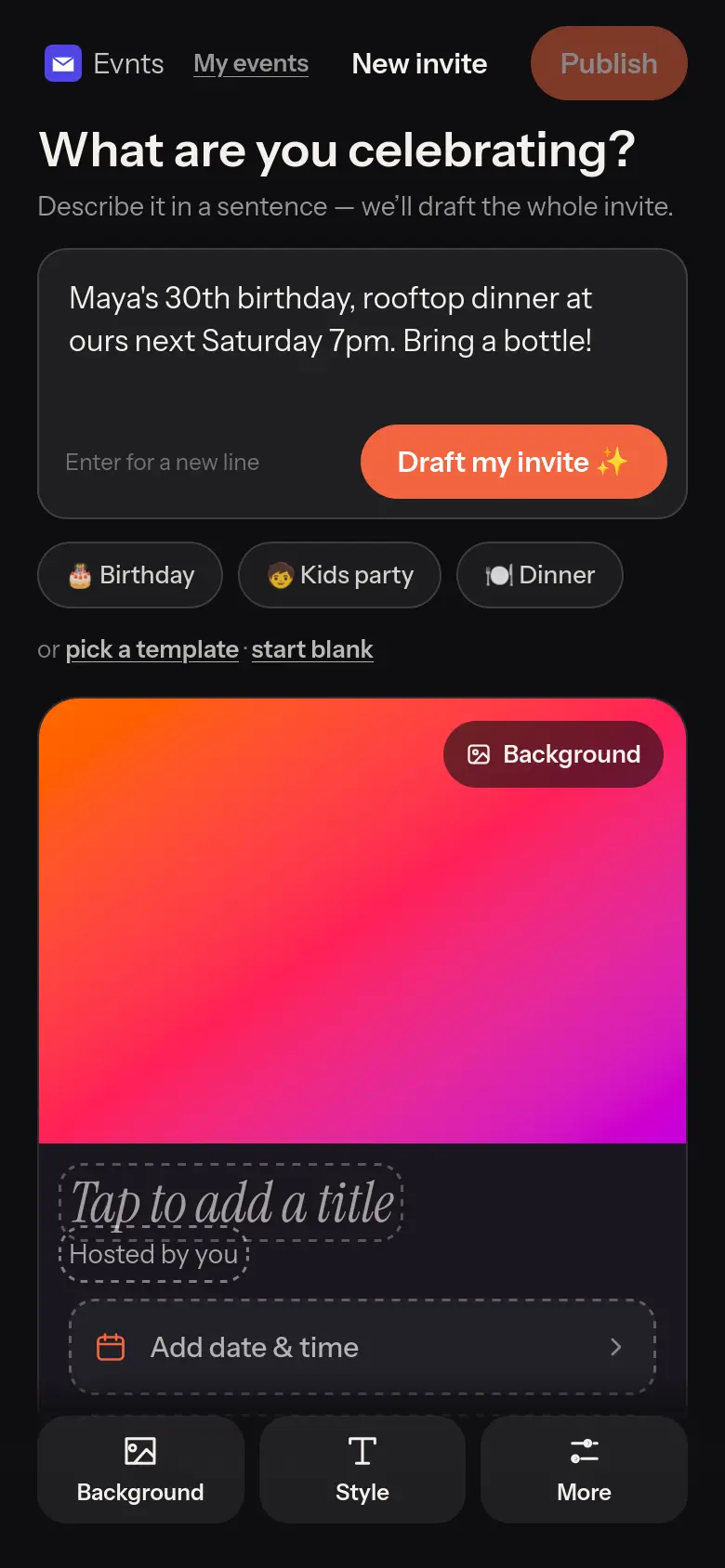
Under 60 seconds
One sentence in, a finished invite out.
“Maya's 30th, rooftop, Saturday 7pm.” The draft writes the title, the description, the date and the place, with a cover painted to match. Change anything before you share it.
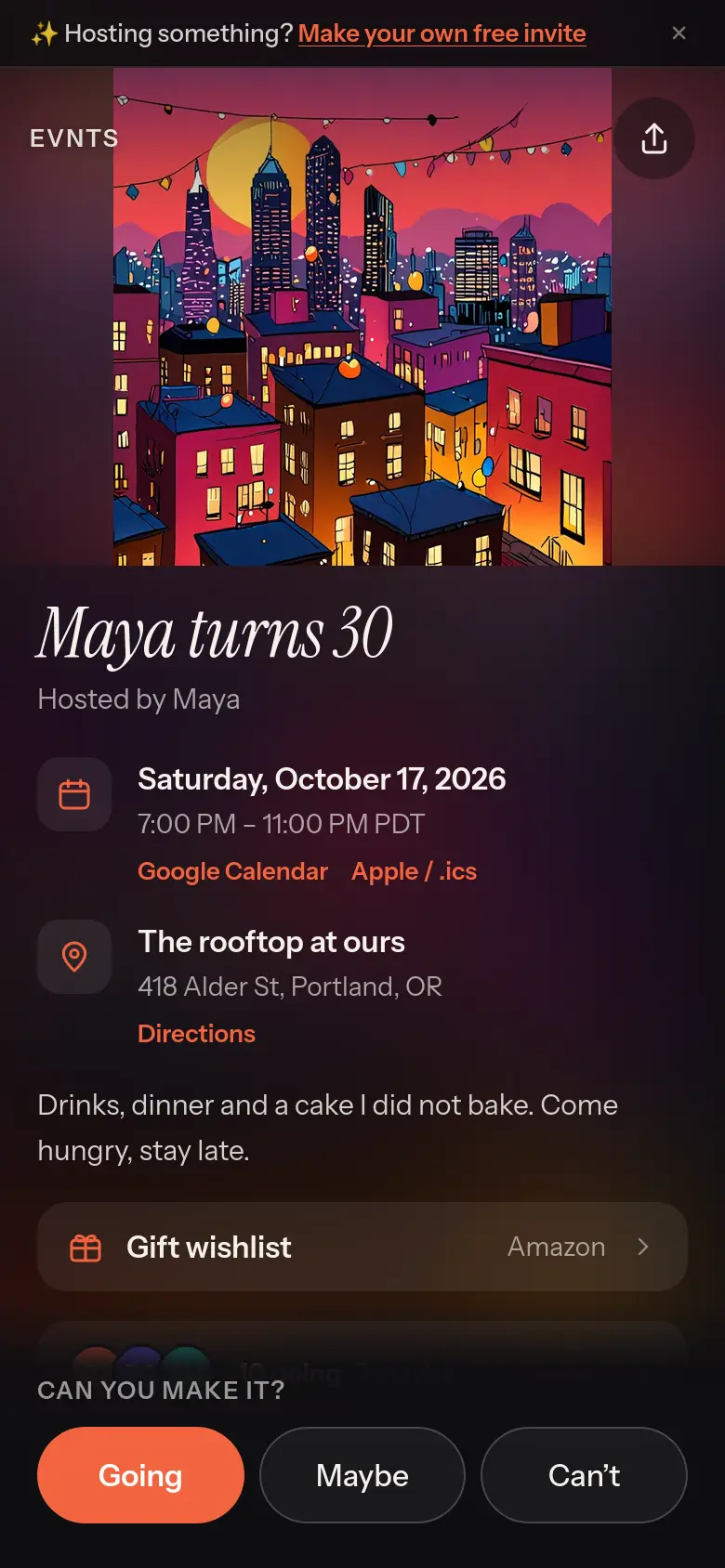
One link for everything
The invite, the RSVPs and the bring list together.
Guests see the date, the place and what's still needed, answer Going, Maybe or Can't, and pick a dish. You see a headcount in people, plus-ones and kids included.
Questions
Is Evnts free for a big guest list?
Yes. There are no Coins and no per-guest price: 10 guests or 200, the invite, RSVPs, reminders and the guest list cost nothing, with no ads.
Can Evnts email my invitations?
Evnts gives you one link to share wherever your guests are: a text, the group chat, WhatsApp or an email you send yourself. It doesn't send invitation emails for you.
Can I bring my guest list over from Paperless Post?
Paperless Post lets you export your guest list as a CSV. On Evnts you share one link instead of adding guests one by one, so send it to the people on that list.
Do I need an invite to host?
Hosting is invite-only for now. You're in if a friend who hosts on Evnts sends you one of their invite links, or if you've RSVP'd to someone's Evnts invite, and a few open spots go to new hosts every day. If today's are taken, leave your email when you publish and we'll send you an invite. Guests never need one.
Try it on your next event.
It's free and takes about a minute. Compare Evnts with other tools.
Make your inviteSources (Paperless Post, checked October 2026)
- Paperless Post: pricing (per-guest feature sets, Paperless Pro)
- Paperless Post: is Paperless Post free?
- Paperless Post: Card and Flyer pricing
- Paperless Post: how much a Shareable Link costs
- Paperless Post: unlock RSVPs
- Paperless Post: responding to a Card or Flyer (no account)
- Paperless Post: RSVP reminders and messages
- Paperless Post: printing (Paper Source)
- Paperless Post: export your guest list
- Paperless Post home page (designer collections)
Paperless Post is a trademark of its owner. Evnts is not affiliated with or endorsed by Paperless Post.