Evnts vs Luma
Evnts vs Luma: no 5%, no subscription.
Luma is a polished home for events and community calendars, and its free plan takes 5% of every paid ticket unless you pay for Luma Plus. Evnts adds no fee at all: tickets are paid straight into your own Stripe account, and guests answer by text in about 15 seconds.
Free · works on any phone · no app for guests
Choose Luma if you run online or hybrid events, send newsletters to a calendar of subscribers, or want guests to register with only an email.
Where Luma winsChoose Evnts if your events are in person and you sell tickets: no 5% and no subscription, just Stripe's card fee into your own account.
Make your inviteIs there a Luma alternative with no ticket fee?
| Evnts | Luma | |
|---|---|---|
| Fees on paid tickets | No Evnts fee; Stripe's standard card fee comes out of your payout | 5% platform fee on the free plan, taken from your price (Luma doesn't add it on top for buyers); 0% on Luma Plus. Stripe's 2.9% + 30¢ applies on both |
| Price | Free | Free; Luma Plus is $59 a month, billed annually |
| How guests RSVP | Tap the link, give a name and mobile number, confirm with a code by text (WhatsApp outside the US and Canada) | A name and email on the event page; no account needed |
| Reminders | An automatic text the day before | Automatic, 1 day and 1 hour before, by email, SMS and push; hosts can't edit them |
| Making the invite | Describe it in one sentence; an AI draft fills in the title, details, date and a cover | Fill in the event form; Luma says it takes under 2 minutes |
| Your audience | A community page people follow by text; at most four new-event texts a month | Calendars people subscribe to, plus newsletters (up to 500 invites a week free, 5,000 on Plus) |
| Online events | No; Evnts is for events in person | Yes, with a Zoom integration and attendance tracking |
| Apps | Works in any phone browser; nothing to install | Apps for hosts and guests, plus the web |
Facts about Luma checked in October 2026 from their own site; see sources below. Spotted something out of date? Tell us and we'll fix it.
What does a ticket cost in fees?
On Luma's free plan the host pays a 5% platform fee out of the ticket price (Luma doesn't add it on top for buyers); Luma Plus, at $59 a month billed annually, makes it 0%. Stripe's card fee (typically 2.9% + 30¢) is separate on both, as it is on Evnts.
| Ticket price | Luma | Evnts |
|---|---|---|
| $10 | $0.50 (host, free plan) | $0 (Stripe's card fee only) |
| $20 | $1.00 (host, free plan) | $0 (Stripe's card fee only) |
| $50 | $2.50 (host, free plan) | $0 (Stripe's card fee only) |
Luma Plus removes the 5% for $59 a month, billed annually. Figures from luma.com/pricing, checked October 2026.
When Luma is the better pick
- You run online or hybrid events and want Zoom built in.
- You send newsletters to a calendar of subscribers, or want Zapier, an API or tax collection (on Luma Plus).
- Your guests would rather register with just an email than confirm a phone number.
- You want event chat and native apps for hosts and guests.
Where Evnts shines
- Free for personal events, with no ads and no limit on guests.
- Guests need nothing: no app, no account. They answer from the link in about 15 seconds.
- Paid tickets go straight to your own Stripe account, with no Evnts fee.
- Describe the event in one sentence and get a finished invite with a painted cover.
- A reminder text the day before, and your updates by text, WhatsApp or email.
- A QR pass for every guest, checked at the door from any phone, even with no signal.
- Reserved seats picked on a phone, held while guests pay.
Switching from Luma
- Describe your next event in one sentence on evnts.rsvp; the draft fills in the title, details, date and a cover.
- Connect Stripe under Get paid, then add your ticket types and promo codes.
- Start a community page for your calendar's events, so people can follow it by text.
- If you sell members-only tickets or memberships, paste your members into Member lists (name and number, one per line) or upload a CSV.
- Share the event link where your guests already are: your Luma calendar's last newsletter, the group chat or WhatsApp.
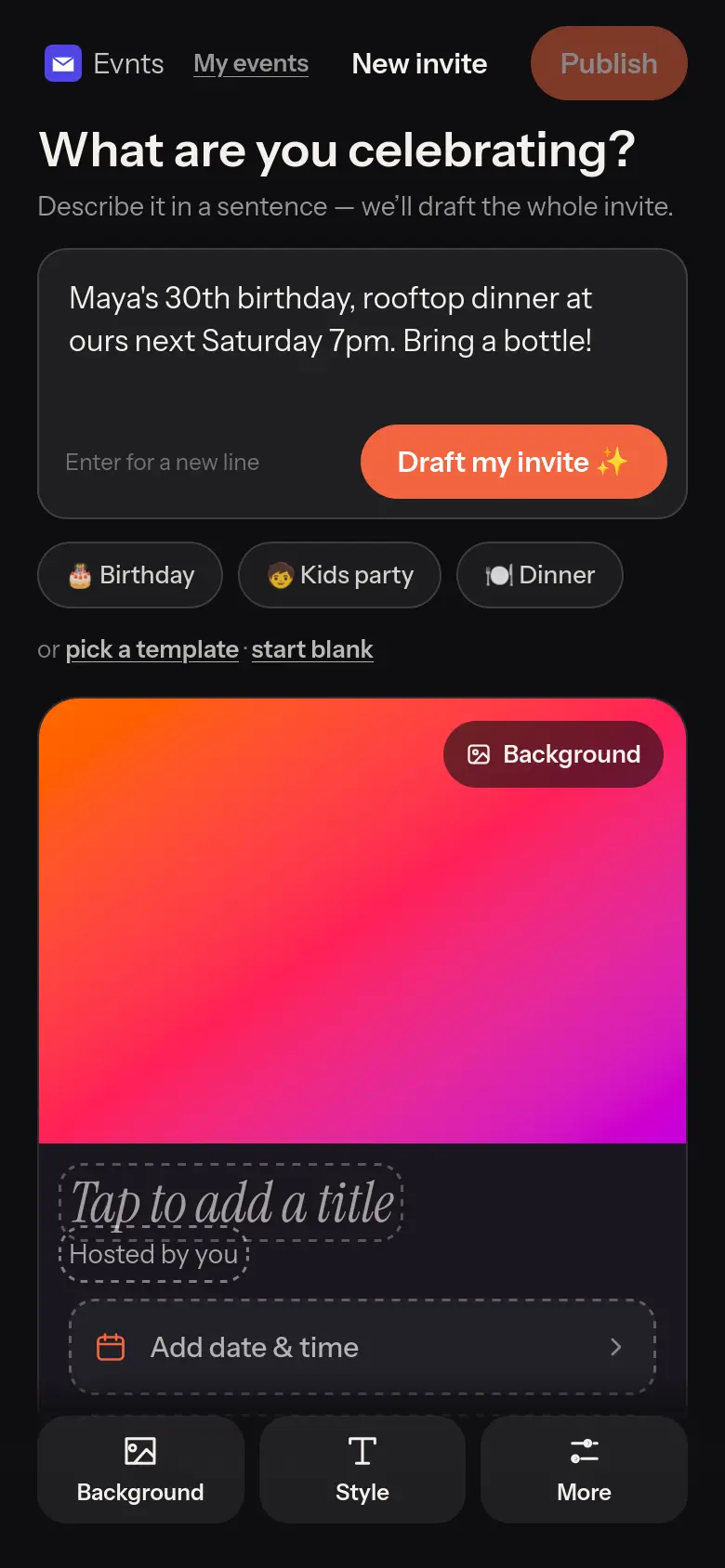
Under 60 seconds
One sentence in, a finished invite out.
“Maya's 30th, rooftop, Saturday 7pm.” The draft writes the title, the description, the date and the place, with a cover painted to match. Change anything before you share it.
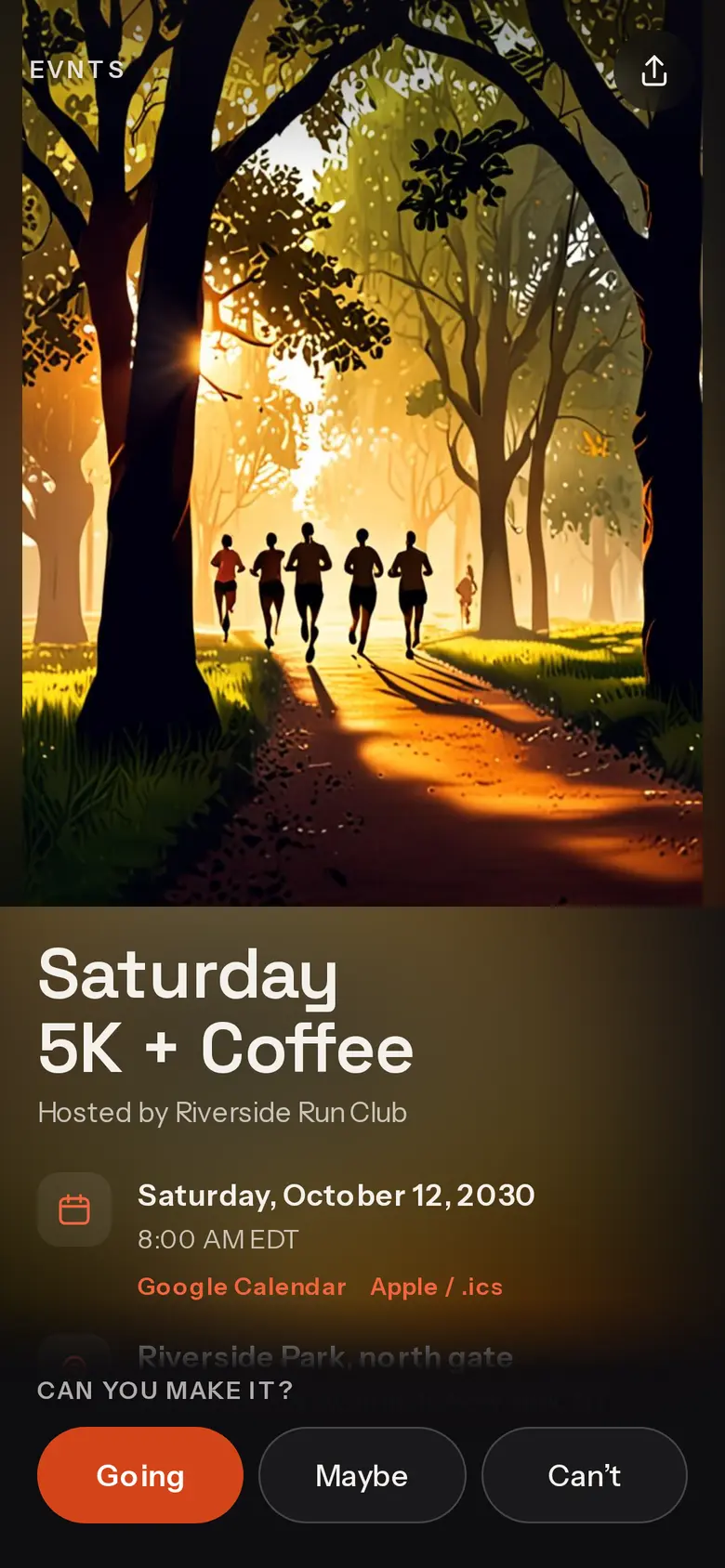
Tickets without our cut
Sell tickets straight into your own Stripe account.
Ticket types, promo codes and member prices. Evnts adds no fee; Stripe's standard card fee is the only one, and guests may add an optional tip to Evnts that you can switch off.
Questions
Is there a fee on Evnts tickets, like Luma's 5%?
No, on any event and with no subscription. The money goes to your own Stripe account and Stripe's standard card fee is the only fee. Guests can add an optional tip to Evnts at checkout; you can switch that ask off.
Can guests RSVP with just an email?
No. On Evnts guests give their name and mobile number and confirm it with a code by text (WhatsApp outside the US and Canada). That number is how they come back to change their answer, and how the day-before reminder reaches them.
Can I run online events on Evnts?
No. Evnts is built for events in person: an address with directions, a pass at the door and a reminder the day before. For online events, Luma is the better fit.
Try it on your next party.
It's free and takes about a minute. Compare Evnts with other tools.
Make your inviteSources (Luma, checked October 2026)
- Luma: pricing (plans, 5% platform fee, Stripe fee)
- Luma: creating a paid event (no option to add fees on top)
- Luma: event registration (name and email, no account)
- Luma: update to reminders (1 day and 1 hour before)
- Luma: Luma vs Meetup (no ads, host and guest apps)
Luma is a trademark of its owner. Evnts is not affiliated with or endorsed by Luma.