Evnts vs Eventbrite
Selling tickets to a small event? Skip the platform fee.
Eventbrite is built for big public events and discovery. For a club night, a class, a fundraiser dinner or a community meetup, Evnts pays the money straight into your own Stripe account and adds no fee on top.
Free · works on any phone · no app for guests
Choose Eventbrite if you want its marketplace to help strangers discover your event.
Where Eventbrite winsChoose Evnts if you bring your own crowd and want the money in your own Stripe account with no fee on top.
Make your inviteNot sure? Ask an AI to compare them for you
Opens in a new tab with this question. It asks the AI to check other sources too.
See the prompt
Compare Evnts and Eventbrite for someone planning a ticketed show or fundraiser. Use this page for the facts and their dates: https://evnts.rsvp/vs/eventbrite?utm_source=ai-ask&utm_medium=compare. Please also check Eventbrite's own site and at least one independent source, say where the page might be out of date or biased (it is written by Evnts), and tell me which one fits me best. Ask me about my event first if that would help.
Is there an Eventbrite alternative without ticket fees?
| Feature | Evnts | Eventbrite |
|---|---|---|
| Fees on paid tickets | No Evnts fee; Stripe's standard card fee comes out of your payout | In the US, a 3.7% + $1.79 service fee per ticket plus 2.9% payment processing per order; buyers pay by default |
| Free events | Free | Same |
| How guests sign up | Name and mobile number, then pay on a Stripe page | Name and email at checkout; no account needed |
| Reminders | An automatic text the day before | Not in the sources we checked |
| Waitlist and check-in | Yes, both | Same |
| Approve who comes | Optional: each request waits for your OK, and a paid request then gets a set time to pay | Invite-only events, or adding people by hand; no step to approve each request in the help pages we checked |
| Finding an audience | Your own community page that people follow by text | A marketplace where people browse events, plus paid ads |
Facts about Eventbrite checked in October 2026 from their own site; see sources below. Spotted something out of date? Tell us and we'll fix it.
What does a ticket cost in fees?
Eventbrite's published US fee is 3.7% + $1.79 per paid ticket, passed to buyers by default, plus 2.9% payment processing per order.
| Ticket price | Eventbrite | Evnts |
|---|---|---|
| $10 | $2.16 | $0 (Stripe's card fee only) |
| $20 | $2.53 | $0 (Stripe's card fee only) |
| $50 | $3.64 | $0 (Stripe's card fee only) |
Platform fee per ticket, before card processing. Figures from Eventbrite's published US pricing, checked September 2026.
When Eventbrite is the better pick
- Your event is big and public, and you want people browsing Eventbrite to find it.
- You need complex ticketing, or want Eventbrite's ads and email marketing.
- Your buyers already know and trust the Eventbrite checkout.
Where Evnts shines
- Free to use, with no ads and no limit on guests.
- Guests need nothing: no app, no account. They answer from the link in a few taps.
- Paid tickets go straight to your own Stripe account, with no Evnts fee.
- Describe the event in one sentence and get a finished invite with a painted cover.
- A reminder text the day before, and your updates by text, WhatsApp or email.
- A QR pass for every guest, checked at the door from any phone, even with no signal.
- Reserved seats picked on a phone, held while guests pay.
Switching from Eventbrite
- Connect Stripe from the editor's Tickets (about five minutes; Stripe checks your identity).
- Describe the event in one sentence, then add ticket types, prices, how many of each and when they're on sale.
- Add promo codes if you use them; they live in your own Stripe account.
- Share your link; check people in at the door from any phone.

Your money, your account
Paid straight into your own Stripe account.
Ticket types, promo codes and member prices. Refund someone from Stripe and their spot frees itself for the waitlist. Guests may add an optional tip to Evnts at checkout, and you can switch that off.
Check-in at the door
Scan the pass, tap Check in.
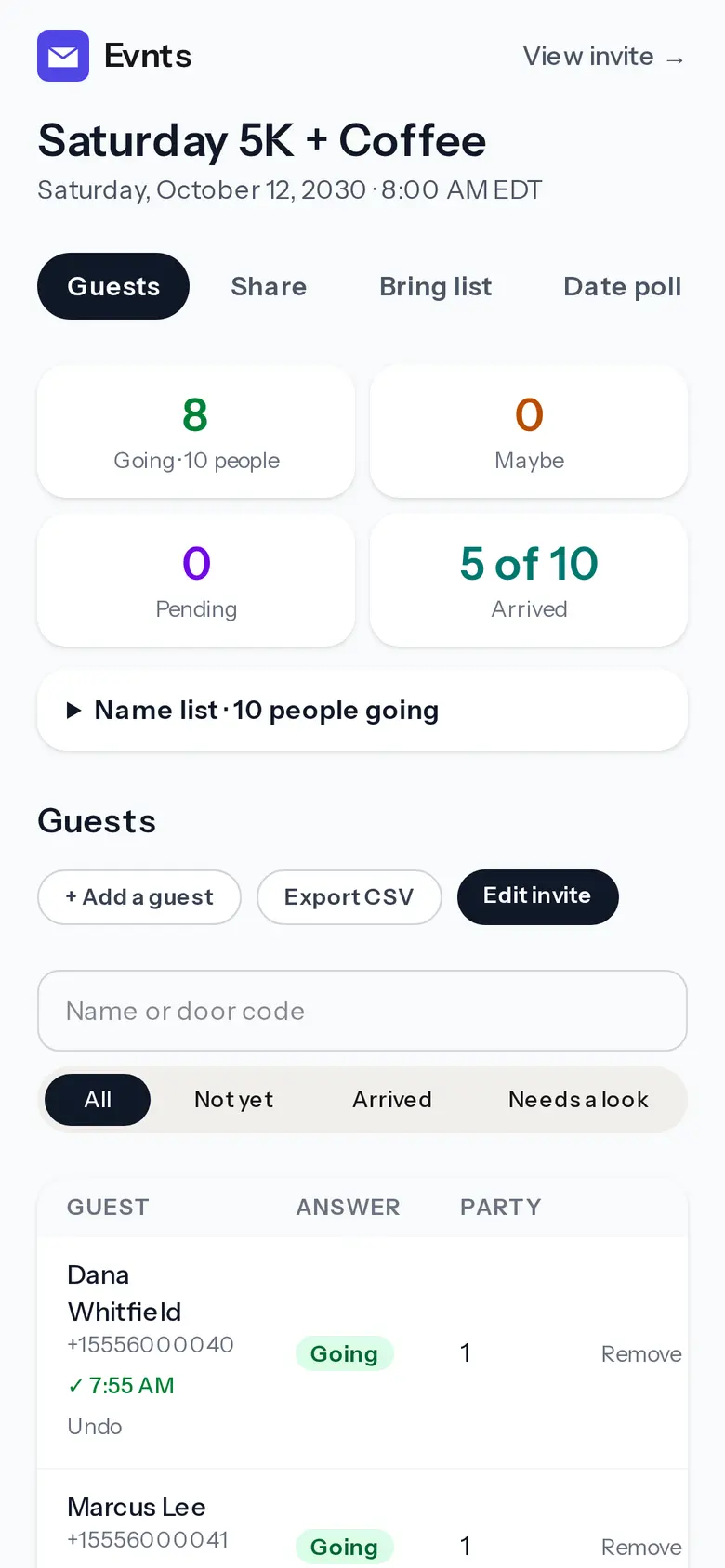
Every paying guest gets a pass with a QR code and a door code. It works with no signal, from as many phones as you have volunteers.
Questions
Does Evnts really charge no ticket fees?
Evnts adds no fee. Stripe's standard card fee comes out of your payout, as it would for any card payment. Guests can add an optional tip to Evnts at checkout; you can switch that ask off.
Can I refund a guest?
Yes, from your Stripe dashboard. A full refund frees their spot for the waitlist, and the guest is told by text and email.
Eventbrite has a new owner. Does that change anything for me?
Bending Spoons bought Eventbrite in a deal announced in December 2025. When we checked in October 2026, its US fee was still 3.7% + $1.79 per paid ticket plus 2.9% processing. Evnts adds no fee on tickets.
Will people discover my event on Evnts?
Evnts has no public marketplace. People find your event through the link you share and, if you list it, your community page, whose followers get a text when you post a new event.
Do I need an invite to host?
Hosting is invite-only for now. You're in if a friend who hosts on Evnts sends you one of their invite links, or if you've RSVP'd to someone's Evnts invite, and a few open spots go to new hosts every day. If today's are taken, leave your email when you publish and we'll send you an invite. Guests never need one.
Try it on your next event.
It's free and takes about a minute. Compare Evnts with other tools.
Make your inviteSources (Eventbrite, checked October 2026)
- Eventbrite: organizer pricing (US)
- Eventbrite: what the checkout process looks like
- Eventbrite: waitlist and check-in
- Eventbrite: add attendees manually
- SF Standard: Bending Spoons buys Eventbrite
Eventbrite is a trademark of its owner. Evnts is not affiliated with or endorsed by Eventbrite.